

🏠 Home
Build Hope
Help every family have a place to call home — funded through OseloHelp.com, our tax-exempt non-profit corporation.
Global Music Distribution Coming Soon!
Your first integration fits on one screen.
Open this address in your browser. You will see sample events right away.
https://timtim.live/api/partner-network/demo?city=WashingtonSign in, tell us who you are, and press Create Test Key. It starts with tt_test_ and only sees sample events.
Ask for events in a city.
curl "https://api.timtim.live/v1/events?city=Washington&category=music" \
-H "Authorization: Bearer tt_test_YOUR_KEY"Every event has a name, date, place, image, price and ready-made labels for your card.
Use the buy_url we give you. That's it. TimTim.Live handles attribution inside that link.
See people sent, tickets sold and earnings on your dashboard, or ask for them.
GET https://api.timtim.live/v1/earningshttps://api.timtim.live/v1Send your key in the Authorization header. Test keys (tt_test_) see sample events only. Website keys (tt_pk_live_) can sit in a web page and only read events. Server keys (tt_sk_live_) stay on your server and can also read earnings. We show a key once — keep it safe.
curl "https://api.timtim.live/v1/events?city=Washington&category=music" \
-H "Authorization: Bearer tt_test_YOUR_KEY"const res = await fetch("https://api.timtim.live/v1/events?city=Washington&category=music", {
headers: { Authorization: "Bearer tt_test_YOUR_KEY" },
});
const { events, next } = await res.json();
for (const event of events) {
console.log(event.name, event.display.date_label, event.tickets.buy_url);
}// Node 18+ — keep server keys (tt_sk_live_) on the server
const res = await fetch("https://api.timtim.live/v1/events?city=Washington", {
headers: { Authorization: `Bearer ${process.env.TIMTIM_KEY}` },
});
if (!res.ok) {
const problem = await res.json();
throw new Error(`${problem.title} (${problem.request_id})`);
}
const { events } = await res.json();import os, requests
res = requests.get(
"https://api.timtim.live/v1/events",
params={"city": "Washington", "category": "music"},
headers={"Authorization": f"Bearer {os.environ['TIMTIM_KEY']}"},
)
res.raise_for_status()
for event in res.json()["events"]:
print(event["name"], event["tickets"]["buy_url"])<?php
$ch = curl_init("https://api.timtim.live/v1/events?city=Washington&category=music");
curl_setopt($ch, CURLOPT_HTTPHEADER, ["Authorization: Bearer " . getenv("TIMTIM_KEY")]);
curl_setopt($ch, CURLOPT_RETURNTRANSFER, true);
$data = json_decode(curl_exec($ch), true);
foreach ($data["events"] as $event) {
echo $event["name"] . " " . $event["tickets"]["buy_url"] . PHP_EOL;
}citycountrycategoryfromtochanged_sincecommissionedminimum_earningsnearlimitSave the time of your last sync and send it as changed_since. You get only events that changed — including cancellations and sold-out shows. No webhook needed. Events you must stop showing come back in the withdrawn list.
GET https://api.timtim.live/v1/events?changed_since=2026-10-06T10:00:00ZIf the answer has next, send it back as cursor= to get the next page. When next is empty, you have everything.
GET https://api.timtim.live/v1/events?city=Paris&cursor=eyJtIjoiZCIs…Each event has earn. If earn.eligible is false, the event has no reward — it is still worth showing. If it is true, earn.description says what you get, for example "$5 per eligible ticket". If the purchase is refunded, the reward is reversed.
Save a bulk feed on your dashboard. Then download every event it covers in one zipped file, with your server key: GET /v1/bulk/FEED_ID.ndjson.gz or .csv.gz. Add ?changed_since= for only what changed, including events taken down. Test keys can try it now; live use needs a TimTim.Live review.
GET https://api.timtim.live/v1/bulk/bfs_YOURFEED.ndjson.gz?changed_since=2026-10-06T00:00:00ZLarge partners can keep buyers in their own app. Ask GET /v1/events/EVENT_ID/tickets for what is on sale, then POST /v1/orders with the buyer's choice. You get a TimTim.Live payment link to open for the buyer; the sale is credited to your company directly. Test keys can try it now. Live use needs a TimTim.Live review and card payments switched on.
POST https://api.timtim.live/v1/orders (Idempotency-Key: …) {"event_id": "evt_test_washington_konpa", "ticket_type_id": "tt_test_washington_konpa", "quantity": 2, "buyer_email": "…", "buyer_name": "…"}GET /v1/offers shows each event that pays a reward as an offer. Each offer has the organizer, the dates you can buy, the price, the place and the reward. Your customer activates it through your tracked link, and the reward is paid to your company through /v1/earnings. Test keys see sample offers. Live offers need a TimTim.Live review. Matching card payments directly needs an agreement with a card network or bank, and is not connected.
GET https://api.timtim.live/v1/offers?country=USstatus is scheduled, postponed, rescheduled, cancelled, sold_out or completed. tickets.availability is available, limited, sold_out, not_on_sale or ended. When an event is cancelled, take it down.
GET https://api.timtim.live/v1/events/evt_test_washington_konpaTest keys: 60 requests a minute. Live keys: 120 a minute. Going faster gets a 429 answer with Retry-After, the number of seconds to wait.
Events that TimTim.Live organizers create and choose to share. Events we imported from other ticket sites are never included, because we do not own the right to share them.
Buyer names, email addresses, home addresses, phone numbers and card details. The Partner API shares event information, not our members.
One line of HTML shows events on any website. Use a website key (tt_pk_live_) and add your website to the key's allowed list. With no key it shows sample events.
<script src="https://timtim.live/widget/events.js"
        data-key="tt_pk_live_YOUR_WEBSITE_KEY"
        data-city="Washington" data-category="music" async></script>
Options: data-city, data-country, data-category, data-limit (1–24), data-earn="true", data-lang and data-color.
Optional. Make an OAuth client on your dashboard. Trade its client ID and secret for an access token that lasts one hour. Send that token instead of a key. The secret never travels with your API calls, and you can ask for fewer scopes than the client has.
# 1. Trade the client ID and secret for a one-hour token
curl -u "$CLIENT_ID:$CLIENT_SECRET" \
  -d grant_type=client_credentials -d "scope=events:read events:details" \
  https://api.timtim.live/v1/oauth/token
# → {"access_token":"tt_at_…","token_type":"Bearer","expires_in":3600,"scope":"events:read events:details"}

# 2. Use the token exactly like a key
curl -H "Authorization: Bearer $ACCESS_TOKEN" "https://api.timtim.live/v1/events?city=Washington"
To end a token early, POST it to /v1/oauth/revoke with the same client ID and secret. Switching the client off on your dashboard ends all of its tokens at once.
Optional. On your dashboard, find a server key, test key or OAuth client. Open "Lock to my servers" and list your servers' public addresses. Calls — and token requests — from anywhere else are refused with ip_not_allowed, even with the right key.
Client certificates (mTLS), for big companies: give us your server's ID card (a certificate) and pin it to a key. Then call https://api.timtim.live with it. We answer only the server that holds that certificate.
# Your certificate's SHA-256 — paste this (or the PEM) under "Lock to my servers"
openssl x509 -in client.crt -noout -fingerprint -sha256

# Every call then presents the certificate
curl --cert client.crt --key client.key \
-H "Authorization: Bearer $KEY" "https://api.timtim.live/v1/events?city=Washington"Use WordPress? Install TimTim.Live Events: a block and a shortcode that show events with your own TimTim.Live ticket links. It is made by TimTim.Live, talks only to timtim.live, and updates only from timtim.live.
Upload the file in Plugins → Add New → Upload Plugin. Paste your website key in Settings → TimTim.Live Events and press Test Connection. Then add the TimTim.Live Events block to any page.
Download the WordPress Plugin[timtim_events city="Washington" category="music" limit="6"]The same events as JSON Feed, RSS, XML, CSV or a calendar file (.ics). Google Calendar, Apple Calendar and Outlook can subscribe to the calendar. Feed readers cannot send headers, so put a website key or a test key in ?key=. Never put a server key in a link.
https://timtim.live/v1/feeds/events.json?key=tt_pk_live_YOUR_KEY&city=Paris
https://timtim.live/v1/feeds/events.rss?key=tt_pk_live_YOUR_KEY&city=Paris
https://timtim.live/v1/feeds/events.xml?key=tt_pk_live_YOUR_KEY&city=Paris
https://timtim.live/v1/feeds/events.csv?key=tt_pk_live_YOUR_KEY&city=Paris
https://timtim.live/v1/feeds/events.ics?key=tt_pk_live_YOUR_KEY&city=ParisAdd an address on your dashboard and we send it a message when something changes: event.changed or earnings.changed. Webhooks are optional — changed_since gives you the same information.
{
  "id": "whd_8Fk2mQxR7tLp",
  "type": "event.changed",
  "created_at": "2026-10-06T15:04:05.000Z",
  "mode": "live",
  "data": {
    "event": {
      "id": "ev_…",
      "name": "…",
      "status": "cancelled",
      "tickets": {
        "availability": "ended",
        "buy_url": "https://timtim.live/b/…"
      },
      "…": "the same event object as GET /v1/events"
    }
  }
}
Check every message: it is signed with your secret. Refuse anything older than five minutes, and ignore a TimTim-Delivery-Id you have already handled.
// Node — Express with the RAW body (do not JSON.parse before checking)
import crypto from "node:crypto";

app.post("/timtim", express.raw({ type: "application/json" }), (req, res) => {
  const header = req.get("TimTim-Signature") ?? "";           // t=1700000000,v1=<hex>
  const parts = Object.fromEntries(header.split(",").map((p) => p.split("=")));
  const body = req.body.toString("utf8");
  const expected = crypto.createHmac("sha256", process.env.TIMTIM_WEBHOOK_SECRET)
    .update(`${parts.t}.${body}`).digest("hex");
  const fresh = Math.abs(Date.now() / 1000 - Number(parts.t)) <= 300;
  const same = expected.length === (parts.v1 ?? "").length &&
    crypto.timingSafeEqual(Buffer.from(expected), Buffer.from(parts.v1));
  if (!fresh || !same) return res.sendStatus(400);

  const message = JSON.parse(body);                            // { id, type, mode, data }
  if (alreadyHandled(req.get("TimTim-Delivery-Id"))) return res.sendStatus(200);
  // message.type === "event.changed"    → message.data.event
  // message.type === "earnings.changed" → message.data.earning
  res.sendStatus(200);
});
Answer with any 2xx within 10 seconds. If not, we try again after 1 minute, 5 minutes, 30 minutes, then 2, 6, 12 and 24 hours, then stop. We never follow redirects.
Test keys get sample events marked TEST EVENT — NO REAL MONEY. Open a buy_url, press Buy Test Ticket, then ask for your earnings. Simulate a refund and watch it reversed.
Errors explain themselves in plain words, with a title and what to do next. Every answer carries a TimTim-Request-Id. Send it to us and we can find your request.
missing_keyPlease add your TimTim.Live key. Send it as: Authorization: Bearer tt_test_… — get a test key at /partners/dashboard.invalid_keyWe do not recognise that key. Check you copied the whole key, or make a new one at /partners/dashboard.revoked_keyThat key was switched off. Make a new key at /partners/dashboard.partner_inactiveThis partner account cannot use live keys right now. Your test key still works. Contact TimTim.Live partnerships to review the account.missing_scopeThis key is not allowed to do that. Earnings need a secret key (tt_sk_live_…) or a test key, used from your server.domain_not_allowedThis website is not allowed to use this key. Add the website to the key's allowed domains at /partners/dashboard.unknown_parameterWe do not know one of those parameters. See /partners/docs for the list.invalid_countryWe could not read that country. Use a two-letter code, for example country=US or country=FR.invalid_dateWe could not read that date. Dates look like 2026-10-20.invalid_changed_sinceWe could not read changed_since. Use a full time, for example changed_since=2026-10-06T10:00:00Z.invalid_booleanThat value must be true or false. For example commissioned=true.invalid_numberThat value must be a number. For example minimum_earnings=5.invalid_nearWe could not find that place. Try near=Paris,FR or city=Paris&country=FR.invalid_locationWe could not read that location. Send lat, lng and optionally radius in kilometres.invalid_limitlimit must be between 1 and 100. Leave it out to get 20.invalid_cursorThat cursor is not one we gave you. Use the `next` value from the previous page exactly as it came.event_not_foundWe could not find that event. It may have been removed, or it is not shared with partners.capability_requiredCard-linked offers are not switched on for your account. Offers are an enterprise feature. Your test key shows sample offers now; ask TimTim.Live partnerships to review your account for live offers.server_key_requiredThis is for your server only. Use a secret key (tt_sk_live_…) or a test key from your server, never a website key in a web page.commerce_not_enabledSelling tickets in your own app is not switched on for your account. This is an enterprise feature (EMBEDDED_CHECKOUT). Your test key can try it now; ask TimTim.Live partnerships to review your account. Until then, use each event's buy_url.checkout_not_openCard payments are not open on TimTim.Live yet. Send the buyer to the event's buy_url instead. Your test key can still rehearse orders.ticket_not_availableThat ticket cannot be bought right now. It may be sold out, not on sale yet, or no longer on sale. Ask /v1/events/{id}/tickets for what is on sale now.order_invalidWe could not read that order. See /partners/docs for the fields an order needs.idempotency_key_requiredPlease send an Idempotency-Key header. 8 to 80 letters, digits, - or _. Send the same key again to retry safely — you will get the same order, never a second one.order_not_foundWe could not find that order. Only orders your company began with this kind of key (test or live) can be read here.bulk_not_enabledBulk feeds are not switched on for your account. This is an enterprise feature (BULK_FEEDS). Your test key can try it now; ask TimTim.Live partnerships to review your account. Until then, page through /v1/events or the feeds.bulk_not_foundWe could not find that bulk feed. Use the address shown on /partners/dashboard: /v1/bulk/<subscription id>.ndjson.gz or .csv.gz.bulk_too_soonA full file was made for this feed a few minutes ago. Full files can be made every 15 minutes. For what changed since, add changed_since=<time> — that is not limited.event_withdrawnThis event is no longer shared with partners. Stop showing it and remove its buy_url. Nothing else is needed — your old link still takes people to the event page.invalid_trackWe could not read that tracking signal. Send {"type":"impression"}, {"type":"event_view","event_id":"…"} or {"type":"event_click","event_id":"…"}. Sales are recorded by TimTim.Live, never sent from a page.not_foundThere is nothing at this address. The Partner API lives at /v1/events, /v1/events/{id}, /v1/offers and /v1/earnings.method_not_allowedThis address does not answer that method. The Allow header lists the methods it answers.key_in_urlSend your key in the Authorization header. Only /v1/feeds reads a key from the URL (?key=). Everywhere else use Authorization: Bearer <key> — keys in URLs end up in logs.ip_not_allowedThis key only works from your listed servers. Call from an address on the key's allowlist, or change the list at /partners/dashboard.certificate_requiredThis key needs your client certificate. Connect to https://api.timtim.live with the TLS client certificate pinned to this key.certificate_mismatchThat is not the certificate pinned to this key. Use the certificate whose SHA-256 is on your dashboard, or pin the new one there.rate_limitedToo many requests — please slow down. Wait the number of seconds in Retry-After, then try again.server_errorSomething went wrong on our side. Please try again. If it keeps happening, send us your TimTim Request ID.The full description of every field, in the OpenAPI format your tools can read.
Download openapi.yamlYour test key works right away. For live keys, a person at TimTim.Live looks at your company name, your website and how you will show events. You see the answer on your dashboard.
Version 1 only grows. We add new things. We do not remove or rename what is already there.
Our Purpose
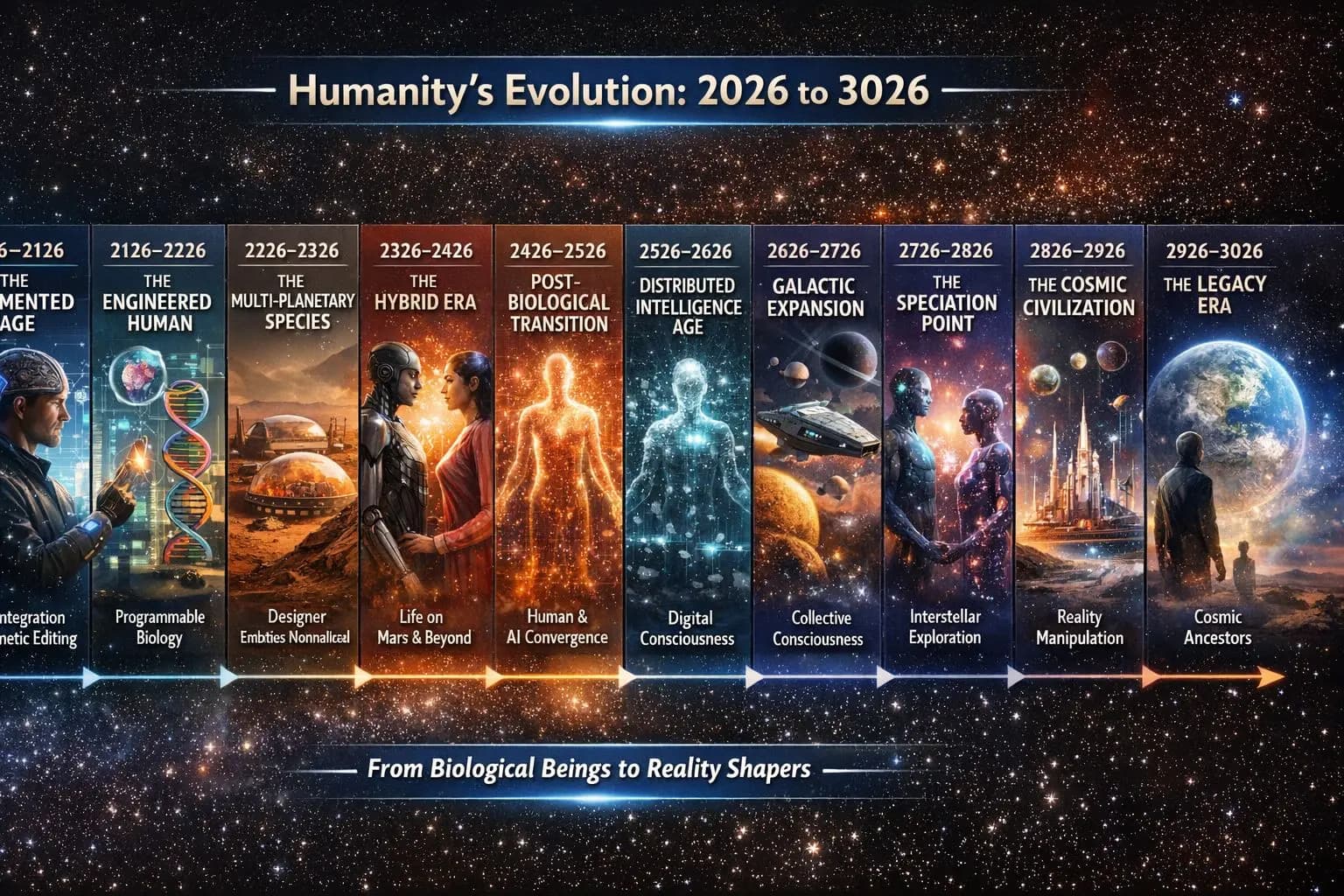
We invite everyone to help leave a legacy for humanity.
Join Three Missions That Will Outlive Us All
Build Hope
Help every family have a place to call home — funded through OseloHelp.com, our tax-exempt non-profit corporation.
Preserve Humanity Through Music
Preserve humanity's music and stories for the next 1,000+ years.

Inspire the Next Generation of Explorers
Make the opportunity to explore space available to everyone.

A design for a spaceplane that takes off from a runway instead of launching on a rocket. It is a concept, not a finished craft.
See how it worksHow it all connects
Nothing here is a separate business — each stage strengthens the next.
One purpose. Many reinforcing businesses.
Whether you listen to a song, share a story, wear the merchandise, attend a concert, translate lyrics, recommend a country, or simply tell a friend — you become part of something designed to last for generations.
Everyone can participate. No contribution is too small.
TimTim.Live — Explore the World Through Music.
TimTim.Live already maps 233,839 places across all 195 countries, reaching communities with populations as small as 1,000 people, including:
257 states • 1,690 provinces • 4,808 counties • 41,130 districts • 13,471 cities • 117,896 towns • 40,988 villages
© 2026 TimTim.Live. All Rights Reserved.