

🏠 家園
建立希望
讓每個家庭都有一個可以稱為家的地方 — 由我們的免稅非營利法人 OseloHelp.com 資助。
全球音樂發行:即將上線!
你的第一次串接,一個畫面就能看完。
在瀏覽器裡打開這個位址。你馬上就能看到範例活動。
https://timtim.live/api/partner-network/demo?city=Washington登入,告訴我們你是誰,然後按「建立測試金鑰」。它以 tt_test_ 開頭,只能看到範例活動。
請求某個城市的活動。
curl "https://api.timtim.live/v1/events?city=Washington&category=music" \
-H "Authorization: Bearer tt_test_YOUR_KEY"每個活動都有名稱、日期、地點、圖片、價格,以及為你的卡片準備好的標籤。
使用我們給你的 buy_url。就這麼簡單。TimTim.Live 會在這個連結裡記錄銷售來源。
在控制台查看帶來的人數、賣出的門票和收益,也可以透過請求取得。
GET https://api.timtim.live/v1/earningshttps://api.timtim.live/v1把金鑰放在 Authorization 標頭裡送出。測試金鑰(tt_test_)只能看到範例活動。網站金鑰(tt_pk_live_)可以放在網頁裡,只能讀取活動。伺服器金鑰(tt_sk_live_)留在你的伺服器上,還能讀取收益。金鑰只顯示一次,請妥善保管。
curl "https://api.timtim.live/v1/events?city=Washington&category=music" \
-H "Authorization: Bearer tt_test_YOUR_KEY"const res = await fetch("https://api.timtim.live/v1/events?city=Washington&category=music", {
headers: { Authorization: "Bearer tt_test_YOUR_KEY" },
});
const { events, next } = await res.json();
for (const event of events) {
console.log(event.name, event.display.date_label, event.tickets.buy_url);
}// Node 18+ — keep server keys (tt_sk_live_) on the server
const res = await fetch("https://api.timtim.live/v1/events?city=Washington", {
headers: { Authorization: `Bearer ${process.env.TIMTIM_KEY}` },
});
if (!res.ok) {
const problem = await res.json();
throw new Error(`${problem.title} (${problem.request_id})`);
}
const { events } = await res.json();import os, requests
res = requests.get(
"https://api.timtim.live/v1/events",
params={"city": "Washington", "category": "music"},
headers={"Authorization": f"Bearer {os.environ['TIMTIM_KEY']}"},
)
res.raise_for_status()
for event in res.json()["events"]:
print(event["name"], event["tickets"]["buy_url"])<?php
$ch = curl_init("https://api.timtim.live/v1/events?city=Washington&category=music");
curl_setopt($ch, CURLOPT_HTTPHEADER, ["Authorization: Bearer " . getenv("TIMTIM_KEY")]);
curl_setopt($ch, CURLOPT_RETURNTRANSFER, true);
$data = json_decode(curl_exec($ch), true);
foreach ($data["events"] as $event) {
echo $event["name"] . " " . $event["tickets"]["buy_url"] . PHP_EOL;
}citycountrycategoryfromtochanged_sincecommissionedminimum_earningsnearlimit儲存你上次同步的時間,當作 changed_since 送出。你只會收到有變動的活動,包括取消和售完的演出。不需要 webhook。 需要停止展示的活動會出現在 withdrawn 清單中。
GET https://api.timtim.live/v1/events?changed_since=2026-10-06T10:00:00Z如果回覆裡有 next,把它當作 cursor= 送回來,就能拿到下一頁。next 是空的時候,你就拿到全部了。
GET https://api.timtim.live/v1/events?city=Paris&cursor=eyJtIjoiZCIs…每個活動都有 earn。如果 earn.eligible 是 false,這個活動沒有獎勵,但仍然值得展示。如果是 true,earn.description 會寫明你能得到什麼,例如「每張符合資格的門票 $5」。如果購買被退款,獎勵會被收回。
在控制台儲存一個批次資料來源,然後把它包含的所有活動下載為一個壓縮檔案:GET /v1/bulk/FEED_ID.ndjson.gz 或 .csv.gz,使用你的伺服器金鑰。加上 ?changed_since= 只取得有變化的內容,包括已下架的活動。測試金鑰現在就能試用;正式使用需要 TimTim.Live 審核。
GET https://api.timtim.live/v1/bulk/bfs_YOURFEED.ndjson.gz?changed_since=2026-10-06T00:00:00Z大型合作夥伴可以讓買家留在自己的應用程式裡。用 GET /v1/events/EVENT_ID/tickets 查詢正在出售的內容,然後帶上買家的選擇送出 POST /v1/orders。你會拿到一個 TimTim.Live 付款連結,為買家打開它;這筆銷售直接記給你的公司。測試金鑰現在就能試用。正式使用需要 TimTim.Live 審核,並開通信用卡付款。
POST https://api.timtim.live/v1/orders (Idempotency-Key: …) {"event_id": "evt_test_washington_konpa", "ticket_type_id": "tt_test_washington_konpa", "quantity": 2, "buyer_email": "…", "buyer_name": "…"}GET /v1/offers 把每個有獎勵的活動作為一個優惠給出:主辦方、可以購買的日期、價格、地點和獎勵。你的客戶透過你的追蹤連結啟用它,獎勵透過 /v1/earnings 付給你的公司。測試金鑰看到的是範例優惠。真實優惠需要 TimTim.Live 審核。直接比對刷卡付款需要和發卡組織或銀行簽協議,目前還沒有接通。
GET https://api.timtim.live/v1/offers?country=USstatus 可能是 scheduled、postponed、rescheduled、cancelled、sold_out 或 completed。tickets.availability 可能是 available、limited、sold_out、not_on_sale 或 ended。活動取消後,請把它撤下。
GET https://api.timtim.live/v1/events/evt_test_washington_konpa測試金鑰:每分鐘 60 次請求。正式金鑰:每分鐘 120 次。超過上限會收到 429 回覆,並附有 Retry-After,也就是需要等待的秒數。
TimTim.Live 主辦方建立並選擇分享的活動。我們從其他票務網站匯入的活動絕不包含在內,因為我們沒有分享它們的權利。
買家姓名、電子郵件地址、住家地址、電話號碼和卡片資料。Partner API 分享的是活動資訊,不是我們的會員。
一行 HTML 就能在任何網站上展示活動。請使用網站金鑰(tt_pk_live_),並把你的網站加到這個金鑰的允許清單裡。沒有金鑰時,它會顯示範例活動。
<script src="https://timtim.live/widget/events.js"
        data-key="tt_pk_live_YOUR_WEBSITE_KEY"
        data-city="Washington" data-category="music" async></script>
選項:data-city、data-country、data-category、data-limit(1–24)、data-earn="true"、data-lang 和 data-color。
可選。在控制台建立一個 OAuth 用戶端,然後用它的用戶端 ID 和密碼換取一個有效一小時的存取權杖,並用這個權杖代替金鑰傳送。密碼永遠不會隨你的 API 請求傳送,而且你可以申請比用戶端更少的權限範圍(scopes)。
# 1. Trade the client ID and secret for a one-hour token
curl -u "$CLIENT_ID:$CLIENT_SECRET" \
  -d grant_type=client_credentials -d "scope=events:read events:details" \
  https://api.timtim.live/v1/oauth/token
# → {"access_token":"tt_at_…","token_type":"Bearer","expires_in":3600,"scope":"events:read events:details"}

# 2. Use the token exactly like a key
curl -H "Authorization: Bearer $ACCESS_TOKEN" "https://api.timtim.live/v1/events?city=Washington"
要提早結束一個權杖,就用同樣的用戶端 ID 和密碼,把它 POST 到 /v1/oauth/revoke。在控制台關閉用戶端,會一次結束它的所有權杖。
可選。在你的控制台中,打開伺服器金鑰、測試金鑰或 OAuth 用戶端下方的「鎖定到我的伺服器」,填寫你伺服器的公開位址。來自其他任何地方的請求(包括 token 請求)都會被拒絕,回傳 ip_not_allowed,即使金鑰正確也一樣。
用戶端憑證(mTLS):把你的 TLS 用戶端憑證綁定到一個金鑰,然後用它呼叫 https://api.timtim.live。每個請求都必須出示這個憑證;TLS 握手會證明你持有它的私鑰。
# Your certificate's SHA-256 — paste this (or the PEM) under "Lock to my servers"
openssl x509 -in client.crt -noout -fingerprint -sha256

# Every call then presents the certificate
curl --cert client.crt --key client.key \
-H "Authorization: Bearer $KEY" "https://api.timtim.live/v1/events?city=Washington"在用 WordPress?安裝 TimTim.Live Events:一個區塊和一個短代碼,用你自己的 TimTim.Live 購票連結展示活動。它由 TimTim.Live 製作,只和 timtim.live 連線,也只從 timtim.live 更新。
在 外掛 → 安裝外掛 → 上傳外掛 中上傳檔案。在 設定 → TimTim.Live Events 中貼上你的網站金鑰,然後點擊 Test Connection。之後就可以把 TimTim.Live Events 區塊加到任何頁面。
下載 WordPress 外掛[timtim_events city="Washington" category="music" limit="6"]同樣的活動,也有 JSON Feed、RSS、XML、CSV 格式,或可用 Google Calendar、Apple Calendar 和 Outlook 訂閱的行事曆(.ics)。訂閱閱讀器不能送出標頭,所以請把網站金鑰或測試金鑰放在 ?key= 裡。千萬不要把伺服器金鑰放進連結裡。
https://timtim.live/v1/feeds/events.json?key=tt_pk_live_YOUR_KEY&city=Paris
https://timtim.live/v1/feeds/events.rss?key=tt_pk_live_YOUR_KEY&city=Paris
https://timtim.live/v1/feeds/events.xml?key=tt_pk_live_YOUR_KEY&city=Paris
https://timtim.live/v1/feeds/events.csv?key=tt_pk_live_YOUR_KEY&city=Paris
https://timtim.live/v1/feeds/events.ics?key=tt_pk_live_YOUR_KEY&city=Paris在你的控制台上點「新增地址」,有變動時我們就傳訊息到這個地址:event.changed 或 earnings.changed。Webhook 不是必要的,changed_since 也能給你同樣的資訊。
{
  "id": "whd_8Fk2mQxR7tLp",
  "type": "event.changed",
  "created_at": "2026-10-06T15:04:05.000Z",
  "mode": "live",
  "data": {
    "event": {
      "id": "ev_…",
      "name": "…",
      "status": "cancelled",
      "tickets": {
        "availability": "ended",
        "buy_url": "https://timtim.live/b/…"
      },
      "…": "the same event object as GET /v1/events"
    }
  }
}
請檢查每則訊息:它用你的密鑰簽了名。超過五分鐘的訊息請拒絕。已經處理過的 TimTim-Delivery-Id 請忽略。
// Node — Express with the RAW body (do not JSON.parse before checking)
import crypto from "node:crypto";

app.post("/timtim", express.raw({ type: "application/json" }), (req, res) => {
  const header = req.get("TimTim-Signature") ?? "";           // t=1700000000,v1=<hex>
  const parts = Object.fromEntries(header.split(",").map((p) => p.split("=")));
  const body = req.body.toString("utf8");
  const expected = crypto.createHmac("sha256", process.env.TIMTIM_WEBHOOK_SECRET)
    .update(`${parts.t}.${body}`).digest("hex");
  const fresh = Math.abs(Date.now() / 1000 - Number(parts.t)) <= 300;
  const same = expected.length === (parts.v1 ?? "").length &&
    crypto.timingSafeEqual(Buffer.from(expected), Buffer.from(parts.v1));
  if (!fresh || !same) return res.sendStatus(400);

  const message = JSON.parse(body);                            // { id, type, mode, data }
  if (alreadyHandled(req.get("TimTim-Delivery-Id"))) return res.sendStatus(200);
  // message.type === "event.changed"    → message.data.event
  // message.type === "earnings.changed" → message.data.earning
  res.sendStatus(200);
});
請在 10 秒內回覆任何 2xx。如果沒有,我們會在 1 分鐘、5 分鐘、30 分鐘後再試,然後是 2、6、12 和 24 小時後,之後就停止。我們從不跟隨重新導向。
測試金鑰會拿到標著「測試活動 — 沒有真錢」的範例活動。打開一個 buy_url,按「購買測試門票」,然後請求你的收益。模擬一次退款,看看收益被收回。
錯誤訊息用簡單的話說明問題,有標題,也告訴你下一步怎麼做。每個回覆都附有 TimTim-Request-Id。把它傳給我們,我們就能找到你的請求。
missing_keyPlease add your TimTim.Live key. Send it as: Authorization: Bearer tt_test_… — get a test key at /partners/dashboard.invalid_keyWe do not recognise that key. Check you copied the whole key, or make a new one at /partners/dashboard.revoked_keyThat key was switched off. Make a new key at /partners/dashboard.partner_inactiveThis partner account cannot use live keys right now. Your test key still works. Contact TimTim.Live partnerships to review the account.missing_scopeThis key is not allowed to do that. Earnings need a secret key (tt_sk_live_…) or a test key, used from your server.domain_not_allowedThis website is not allowed to use this key. Add the website to the key's allowed domains at /partners/dashboard.unknown_parameterWe do not know one of those parameters. See /partners/docs for the list.invalid_countryWe could not read that country. Use a two-letter code, for example country=US or country=FR.invalid_dateWe could not read that date. Dates look like 2026-10-20.invalid_changed_sinceWe could not read changed_since. Use a full time, for example changed_since=2026-10-06T10:00:00Z.invalid_booleanThat value must be true or false. For example commissioned=true.invalid_numberThat value must be a number. For example minimum_earnings=5.invalid_nearWe could not find that place. Try near=Paris,FR or city=Paris&country=FR.invalid_locationWe could not read that location. Send lat, lng and optionally radius in kilometres.invalid_limitlimit must be between 1 and 100. Leave it out to get 20.invalid_cursorThat cursor is not one we gave you. Use the `next` value from the previous page exactly as it came.event_not_foundWe could not find that event. It may have been removed, or it is not shared with partners.capability_requiredCard-linked offers are not switched on for your account. Offers are an enterprise feature. Your test key shows sample offers now; ask TimTim.Live partnerships to review your account for live offers.server_key_requiredThis is for your server only. Use a secret key (tt_sk_live_…) or a test key from your server, never a website key in a web page.commerce_not_enabledSelling tickets in your own app is not switched on for your account. This is an enterprise feature (EMBEDDED_CHECKOUT). Your test key can try it now; ask TimTim.Live partnerships to review your account. Until then, use each event's buy_url.checkout_not_openCard payments are not open on TimTim.Live yet. Send the buyer to the event's buy_url instead. Your test key can still rehearse orders.ticket_not_availableThat ticket cannot be bought right now. It may be sold out, not on sale yet, or no longer on sale. Ask /v1/events/{id}/tickets for what is on sale now.order_invalidWe could not read that order. See /partners/docs for the fields an order needs.idempotency_key_requiredPlease send an Idempotency-Key header. 8 to 80 letters, digits, - or _. Send the same key again to retry safely — you will get the same order, never a second one.order_not_foundWe could not find that order. Only orders your company began with this kind of key (test or live) can be read here.bulk_not_enabledBulk feeds are not switched on for your account. This is an enterprise feature (BULK_FEEDS). Your test key can try it now; ask TimTim.Live partnerships to review your account. Until then, page through /v1/events or the feeds.bulk_not_foundWe could not find that bulk feed. Use the address shown on /partners/dashboard: /v1/bulk/<subscription id>.ndjson.gz or .csv.gz.bulk_too_soonA full file was made for this feed a few minutes ago. Full files can be made every 15 minutes. For what changed since, add changed_since=<time> — that is not limited.event_withdrawnThis event is no longer shared with partners. Stop showing it and remove its buy_url. Nothing else is needed — your old link still takes people to the event page.invalid_trackWe could not read that tracking signal. Send {"type":"impression"}, {"type":"event_view","event_id":"…"} or {"type":"event_click","event_id":"…"}. Sales are recorded by TimTim.Live, never sent from a page.not_foundThere is nothing at this address. The Partner API lives at /v1/events, /v1/events/{id}, /v1/offers and /v1/earnings.method_not_allowedThis address does not answer that method. The Allow header lists the methods it answers.key_in_urlSend your key in the Authorization header. Only /v1/feeds reads a key from the URL (?key=). Everywhere else use Authorization: Bearer <key> — keys in URLs end up in logs.ip_not_allowedThis key only works from your listed servers. Call from an address on the key's allowlist, or change the list at /partners/dashboard.certificate_requiredThis key needs your client certificate. Connect to https://api.timtim.live with the TLS client certificate pinned to this key.certificate_mismatchThat is not the certificate pinned to this key. Use the certificate whose SHA-256 is on your dashboard, or pin the new one there.rate_limitedToo many requests — please slow down. Wait the number of seconds in Retry-After, then try again.server_errorSomething went wrong on our side. Please try again. If it keeps happening, send us your TimTim Request ID.你的測試金鑰馬上就能用。正式金鑰要由 TimTim.Live 的工作人員看一下你的公司名稱、你的網站,以及你打算怎樣展示活動。結果會顯示在你的控制台上。
第 1 版只會變多。我們會加新東西。已經有的東西,我們不會刪掉,也不會改名。
我們的初衷
我們邀請每個人一起為人類留下傳承。
加入三個比我們更長久的使命
建立希望
讓每個家庭都有一個可以稱為家的地方 — 由我們的免稅非營利法人 OseloHelp.com 資助。
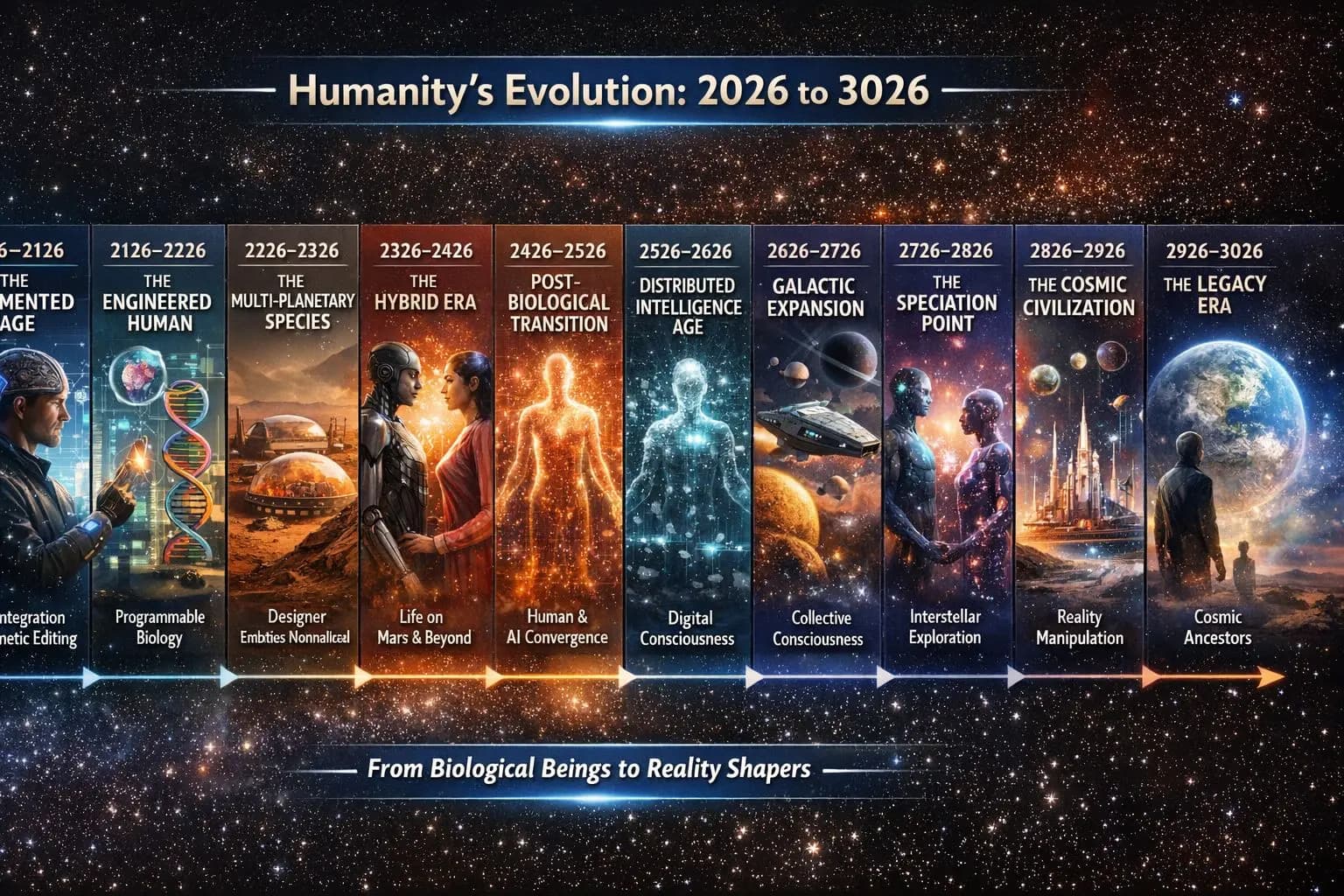
用音樂保存人類
為未來 1,000 年以上保存人類的音樂與故事。

啟發下一代探索者
讓每個人都有探索太空的機會。

一種從跑道起飛、而非由火箭發射的太空飛機設計。這是一個構想,尚未建成。
了解它如何運作一切如何相連
這裡沒有各自獨立的事業 — 每個階段都讓下一個更強大。
一個目標。多個相互支持的事業。
無論你是聽一首歌、分享一個故事、穿上周邊商品、參加演唱會、翻譯歌詞、推薦一個國家,或只是告訴一位朋友 — 你都成為了一份世代相傳之事的一部分。
人人都能參與。再小的付出都有意義。
TimTim.Live — 用音樂探索世界。
連結 195 個國家的人們,目前有 3,004,605+ 個藝人頁面,將擴展到 400 萬以上 · 8,684,002+ 個商家頁面,將擴展到 4 億 · 網站將翻譯成全球 417 種在地語言。
TimTim.Live 已在全部 195 個國家標示了 233,839 個地點,連人口只有約 1,000 人的小社區也涵蓋在內,包括:
257 個州 • 1,690 個省 • 4,808 個郡 • 41,130 個區 • 13,471 座城市 • 117,896 個城鎮 • 40,988 個村莊
© 2026 TimTim.Live. 版權所有。