
🏠 ਘਰ
ਉਮੀਦ ਬਣਾਓ
ਹਰ ਪਰਿਵਾਰ ਨੂੰ ਆਪਣਾ ਘਰ ਕਹਿਣ ਲਈ ਇੱਕ ਥਾਂ ਦੇਣ ਵਿੱਚ ਮਦਦ ਕਰੋ — OseloHelp.com ਰਾਹੀਂ, ਸਾਡੀ ਟੈਕਸ-ਮੁਕਤ ਗੈਰ-ਮੁਨਾਫ਼ਾ ਸੰਸਥਾ।
ਵਿਸ਼ਵ ਪੱਧਰੀ ਸੰਗੀਤ ਵੰਡ: ਜਲਦੀ ਆ ਰਹੀ ਹੈ!
30,04,605+ ਕਲਾਕਾਰ ਪੰਨੇ · 86,84,002+ ਕਾਰੋਬਾਰ ਪੰਨੇ · 417+ ਭਾਸ਼ਾਵਾਂ ਵਿੱਚ ਉਪਲਬਧ

ਤੁਹਾਡਾ ਪਹਿਲਾ ਕਨੈਕਸ਼ਨ ਇੱਕੋ ਸਕਰੀਨ 'ਤੇ ਆ ਜਾਂਦਾ ਹੈ।
ਇਹ ਪਤਾ ਆਪਣੇ ਬ੍ਰਾਊਜ਼ਰ ਵਿੱਚ ਖੋਲ੍ਹੋ। ਤੁਹਾਨੂੰ ਤੁਰੰਤ ਨਮੂਨਾ ਇਵੈਂਟ ਦਿਖਣਗੇ।
https://timtim.live/api/partner-network/demo?city=Washingtonਸਾਈਨ ਇਨ ਕਰੋ, ਦੱਸੋ ਕਿ ਤੁਸੀਂ ਕੌਣ ਹੋ, ਅਤੇ "ਟੈਸਟ ਕੀ ਬਣਾਓ" ਦਬਾਓ। ਇਹ tt_test_ ਨਾਲ ਸ਼ੁਰੂ ਹੁੰਦੀ ਹੈ ਅਤੇ ਸਿਰਫ਼ ਨਮੂਨਾ ਇਵੈਂਟ ਦੇਖਦੀ ਹੈ।
ਕਿਸੇ ਸ਼ਹਿਰ ਦੇ ਇਵੈਂਟ ਮੰਗੋ।
curl "https://api.timtim.live/v1/events?city=Washington&category=music" \
-H "Authorization: Bearer tt_test_YOUR_KEY"ਹਰ ਇਵੈਂਟ ਵਿੱਚ ਨਾਂ, ਤਾਰੀਖ, ਥਾਂ, ਫੋਟੋ, ਕੀਮਤ ਅਤੇ ਤੁਹਾਡੇ ਕਾਰਡ ਲਈ ਤਿਆਰ ਲੇਬਲ ਹੁੰਦੇ ਹਨ।
ਅਸੀਂ ਜੋ buy_url ਦਿੰਦੇ ਹਾਂ ਉਹ ਵਰਤੋ। ਬੱਸ ਇੰਨਾ ਹੀ। ਉਸ ਲਿੰਕ ਦੇ ਅੰਦਰ ਦਾ ਹਿਸਾਬ TimTim.Live ਸੰਭਾਲਦਾ ਹੈ।
ਭੇਜੇ ਲੋਕ, ਵਿਕੀਆਂ ਟਿਕਟਾਂ ਅਤੇ ਕਮਾਈ ਆਪਣੇ ਡੈਸ਼ਬੋਰਡ 'ਤੇ ਦੇਖੋ, ਜਾਂ ਉਨ੍ਹਾਂ ਨੂੰ ਮੰਗੋ।
GET https://api.timtim.live/v1/earningshttps://api.timtim.live/v1ਆਪਣੀ ਕੀ Authorization ਹੈਡਰ ਵਿੱਚ ਭੇਜੋ। ਟੈਸਟ ਕੀਆਂ (tt_test_) ਸਿਰਫ਼ ਨਮੂਨਾ ਇਵੈਂਟ ਦੇਖਦੀਆਂ ਹਨ। ਵੈੱਬਸਾਈਟ ਕੀਆਂ (tt_pk_live_) ਵੈੱਬ ਪੰਨੇ ਵਿੱਚ ਰਹਿ ਸਕਦੀਆਂ ਹਨ ਅਤੇ ਸਿਰਫ਼ ਇਵੈਂਟ ਪੜ੍ਹਦੀਆਂ ਹਨ। ਸਰਵਰ ਕੀਆਂ (tt_sk_live_) ਤੁਹਾਡੇ ਸਰਵਰ 'ਤੇ ਰਹਿੰਦੀਆਂ ਹਨ ਅਤੇ ਕਮਾਈ ਵੀ ਪੜ੍ਹ ਸਕਦੀਆਂ ਹਨ। ਅਸੀਂ ਕੀ ਸਿਰਫ਼ ਇੱਕ ਵਾਰ ਦਿਖਾਉਂਦੇ ਹਾਂ — ਇਸਨੂੰ ਸੁਰੱਖਿਅਤ ਰੱਖੋ।
curl "https://api.timtim.live/v1/events?city=Washington&category=music" \
-H "Authorization: Bearer tt_test_YOUR_KEY"const res = await fetch("https://api.timtim.live/v1/events?city=Washington&category=music", {
headers: { Authorization: "Bearer tt_test_YOUR_KEY" },
});
const { events, next } = await res.json();
for (const event of events) {
console.log(event.name, event.display.date_label, event.tickets.buy_url);
}// Node 18+ — keep server keys (tt_sk_live_) on the server
const res = await fetch("https://api.timtim.live/v1/events?city=Washington", {
headers: { Authorization: `Bearer ${process.env.TIMTIM_KEY}` },
});
if (!res.ok) {
const problem = await res.json();
throw new Error(`${problem.title} (${problem.request_id})`);
}
const { events } = await res.json();import os, requests
res = requests.get(
"https://api.timtim.live/v1/events",
params={"city": "Washington", "category": "music"},
headers={"Authorization": f"Bearer {os.environ['TIMTIM_KEY']}"},
)
res.raise_for_status()
for event in res.json()["events"]:
print(event["name"], event["tickets"]["buy_url"])<?php
$ch = curl_init("https://api.timtim.live/v1/events?city=Washington&category=music");
curl_setopt($ch, CURLOPT_HTTPHEADER, ["Authorization: Bearer " . getenv("TIMTIM_KEY")]);
curl_setopt($ch, CURLOPT_RETURNTRANSFER, true);
$data = json_decode(curl_exec($ch), true);
foreach ($data["events"] as $event) {
echo $event["name"] . " " . $event["tickets"]["buy_url"] . PHP_EOL;
}citycountrycategoryfromtochanged_sincecommissionedminimum_earningsnearlimitਆਪਣੇ ਪਿਛਲੇ ਸਿੰਕ ਦਾ ਸਮਾਂ ਸੇਵ ਕਰੋ ਅਤੇ ਉਸਨੂੰ changed_since ਵਜੋਂ ਭੇਜੋ। ਤੁਹਾਨੂੰ ਸਿਰਫ਼ ਬਦਲੇ ਇਵੈਂਟ ਮਿਲਣਗੇ — ਰੱਦ ਅਤੇ ਵਿਕ ਚੁੱਕੇ ਸ਼ੋਅ ਵੀ। ਵੈੱਬਹੁੱਕ ਦੀ ਲੋੜ ਨਹੀਂ। ਜਿਹੜੇ ਇਵੈਂਟ ਤੁਹਾਨੂੰ ਦਿਖਾਉਣੇ ਬੰਦ ਕਰਨੇ ਹਨ, ਉਹ withdrawn ਸੂਚੀ ਵਿੱਚ ਆਉਂਦੇ ਹਨ।
GET https://api.timtim.live/v1/events?changed_since=2026-10-06T10:00:00Zਜੇ ਜਵਾਬ ਵਿੱਚ next ਹੈ, ਤਾਂ ਅਗਲਾ ਪੰਨਾ ਲੈਣ ਲਈ ਉਸਨੂੰ cursor= ਵਜੋਂ ਵਾਪਸ ਭੇਜੋ। ਜਦੋਂ next ਖਾਲੀ ਹੋਵੇ, ਤੁਹਾਡੇ ਕੋਲ ਸਭ ਕੁਝ ਹੈ।
GET https://api.timtim.live/v1/events?city=Paris&cursor=eyJtIjoiZCIs…ਹਰ ਇਵੈਂਟ ਵਿੱਚ earn ਹੁੰਦਾ ਹੈ। ਜੇ earn.eligible false ਹੈ, ਤਾਂ ਇਵੈਂਟ 'ਤੇ ਕੋਈ ਇਨਾਮ ਨਹੀਂ — ਫਿਰ ਵੀ ਇਸਨੂੰ ਦਿਖਾਉਣਾ ਚੰਗਾ ਹੈ। ਜੇ true ਹੈ, ਤਾਂ earn.description ਦੱਸਦਾ ਹੈ ਕਿ ਤੁਹਾਨੂੰ ਕੀ ਮਿਲੇਗਾ, ਜਿਵੇਂ "ਹਰ ਯੋਗ ਟਿਕਟ 'ਤੇ $5"। ਜੇ ਖਰੀਦ ਰਿਫੰਡ ਹੋਵੇ, ਤਾਂ ਇਨਾਮ ਵਾਪਸ ਹੋ ਜਾਂਦਾ ਹੈ।
ਆਪਣੇ ਡੈਸ਼ਬੋਰਡ ਤੇ ਇੱਕ ਬਲਕ ਫੀਡ ਸੇਵ ਕਰੋ, ਫਿਰ ਉਸਦੇ ਸਾਰੇ ਇਵੈਂਟ ਇੱਕ ਸੰਕੁਚਿਤ ਫ਼ਾਈਲ ਵਿੱਚ ਡਾਊਨਲੋਡ ਕਰੋ: GET /v1/bulk/FEED_ID.ndjson.gz ਜਾਂ .csv.gz, ਆਪਣੀ ਸਰਵਰ ਕੀ ਨਾਲ। ਸਿਰਫ਼ ਬਦਲਾਅ ਲਈ ?changed_since= ਜੋੜੋ, ਹਟਾਏ ਗਏ ਇਵੈਂਟਾਂ ਸਮੇਤ। ਟੈਸਟ ਕੀਆਂ ਹੁਣੇ ਇਸਨੂੰ ਅਜ਼ਮਾ ਸਕਦੀਆਂ ਹਨ; ਅਸਲ ਵਰਤੋਂ ਲਈ TimTim.Live ਦੀ ਜਾਂਚ ਲੋੜੀਂਦੀ ਹੈ।
GET https://api.timtim.live/v1/bulk/bfs_YOURFEED.ndjson.gz?changed_since=2026-10-06T00:00:00Zਵੱਡੇ ਪਾਰਟਨਰ ਖਰੀਦਦਾਰਾਂ ਨੂੰ ਆਪਣੀ ਐਪ ਵਿੱਚ ਹੀ ਰੱਖ ਸਕਦੇ ਹਨ। ਕੀ ਵਿਕਰੀ ਲਈ ਹੈ ਇਹ ਜਾਣਨ ਲਈ GET /v1/events/EVENT_ID/tickets ਪੁੱਛੋ, ਫਿਰ ਖਰੀਦਦਾਰ ਦੀ ਚੋਣ ਨਾਲ POST /v1/orders ਭੇਜੋ। ਤੁਹਾਨੂੰ ਖਰੀਦਦਾਰ ਲਈ ਖੋਲ੍ਹਣ ਵਾਸਤੇ TimTim.Live ਦਾ ਪੇਮੈਂਟ ਲਿੰਕ ਮਿਲਦਾ ਹੈ; ਵਿਕਰੀ ਸਿੱਧੀ ਤੁਹਾਡੀ ਕੰਪਨੀ ਦੇ ਨਾਂ ਜਮ੍ਹਾਂ ਹੁੰਦੀ ਹੈ। ਟੈਸਟ ਕੀ ਨਾਲ ਹੁਣੇ ਅਜ਼ਮਾ ਸਕਦੇ ਹੋ। ਅਸਲ ਵਰਤੋਂ ਲਈ TimTim.Live ਦੀ ਸਮੀਖਿਆ ਅਤੇ ਕਾਰਡ ਪੇਮੈਂਟ ਚਾਲੂ ਹੋਣਾ ਜ਼ਰੂਰੀ ਹੈ।
POST https://api.timtim.live/v1/orders (Idempotency-Key: …) {"event_id": "evt_test_washington_konpa", "ticket_type_id": "tt_test_washington_konpa", "quantity": 2, "buyer_email": "…", "buyer_name": "…"}GET /v1/offers ਇਨਾਮ ਦੇਣ ਵਾਲੇ ਹਰ ਇਵੈਂਟ ਨੂੰ ਇੱਕ ਆਫ਼ਰ ਵਜੋਂ ਦਿੰਦਾ ਹੈ: ਆਯੋਜਕ, ਖਰੀਦਣ ਦੀਆਂ ਤਰੀਕਾਂ, ਕੀਮਤ, ਥਾਂ ਅਤੇ ਇਨਾਮ। ਤੁਹਾਡਾ ਗਾਹਕ ਇਸਨੂੰ ਤੁਹਾਡੇ ਟਰੈਕ ਹੋਣ ਵਾਲੇ ਲਿੰਕ ਰਾਹੀਂ ਚਾਲੂ ਕਰਦਾ ਹੈ, ਅਤੇ ਇਨਾਮ /v1/earnings ਰਾਹੀਂ ਤੁਹਾਡੀ ਕੰਪਨੀ ਨੂੰ ਦਿੱਤਾ ਜਾਂਦਾ ਹੈ। ਟੈਸਟ ਕੀ ਨਮੂਨਾ ਆਫ਼ਰਾਂ ਦੇਖਦੀ ਹੈ। ਅਸਲ ਆਫ਼ਰਾਂ ਲਈ TimTim.Live ਦੀ ਜਾਂਚ ਚਾਹੀਦੀ ਹੈ। ਕਾਰਡ ਭੁਗਤਾਨਾਂ ਨੂੰ ਸਿੱਧਾ ਮਿਲਾਉਣ ਲਈ ਕਾਰਡ ਨੈੱਟਵਰਕ ਜਾਂ ਬੈਂਕ ਨਾਲ ਸਮਝੌਤਾ ਚਾਹੀਦਾ ਹੈ, ਅਤੇ ਇਹ ਜੁੜਿਆ ਨਹੀਂ ਹੈ।
GET https://api.timtim.live/v1/offers?country=USstatus ਇਹਨਾਂ ਵਿੱਚੋਂ ਇੱਕ ਹੈ: scheduled, postponed, rescheduled, cancelled, sold_out ਜਾਂ completed। tickets.availability ਇਹਨਾਂ ਵਿੱਚੋਂ ਇੱਕ ਹੈ: available, limited, sold_out, not_on_sale ਜਾਂ ended। ਜਦੋਂ ਇਵੈਂਟ ਰੱਦ ਹੋਵੇ, ਉਸਨੂੰ ਹਟਾ ਦਿਓ।
GET https://api.timtim.live/v1/events/evt_test_washington_konpaਟੈਸਟ ਕੀਆਂ: ਇੱਕ ਮਿੰਟ ਵਿੱਚ 60 ਬੇਨਤੀਆਂ। ਲਾਈਵ ਕੀਆਂ: ਇੱਕ ਮਿੰਟ ਵਿੱਚ 120। ਇਸ ਤੋਂ ਤੇਜ਼ ਜਾਣ 'ਤੇ 429 ਜਵਾਬ ਮਿਲਦਾ ਹੈ, ਨਾਲ Retry-After, ਯਾਨੀ ਕਿੰਨੇ ਸਕਿੰਟ ਰੁਕਣਾ ਹੈ।
ਉਹ ਇਵੈਂਟ ਜੋ TimTim.Live ਆਯੋਜਕ ਬਣਾਉਂਦੇ ਹਨ ਅਤੇ ਸ਼ੇਅਰ ਕਰਨਾ ਚੁਣਦੇ ਹਨ। ਹੋਰ ਟਿਕਟ ਸਾਈਟਾਂ ਤੋਂ ਲਿਆਂਦੇ ਇਵੈਂਟ ਕਦੇ ਸ਼ਾਮਲ ਨਹੀਂ ਹੁੰਦੇ, ਕਿਉਂਕਿ ਉਨ੍ਹਾਂ ਨੂੰ ਸ਼ੇਅਰ ਕਰਨ ਦਾ ਹੱਕ ਸਾਡੇ ਕੋਲ ਨਹੀਂ ਹੈ।
ਖਰੀਦਦਾਰਾਂ ਦੇ ਨਾਂ, ਈਮੇਲ ਪਤੇ, ਘਰ ਦੇ ਪਤੇ, ਫ਼ੋਨ ਨੰਬਰ ਅਤੇ ਕਾਰਡ ਦੀ ਜਾਣਕਾਰੀ। Partner API ਇਵੈਂਟ ਦੀ ਜਾਣਕਾਰੀ ਸ਼ੇਅਰ ਕਰਦਾ ਹੈ, ਸਾਡੇ ਮੈਂਬਰਾਂ ਦੀ ਨਹੀਂ।
HTML ਦੀ ਇੱਕ ਲਾਈਨ ਕਿਸੇ ਵੀ ਵੈੱਬਸਾਈਟ 'ਤੇ ਇਵੈਂਟ ਦਿਖਾਉਂਦੀ ਹੈ। ਵੈੱਬਸਾਈਟ ਕੀ (tt_pk_live_) ਵਰਤੋ ਅਤੇ ਆਪਣੀ ਵੈੱਬਸਾਈਟ ਨੂੰ ਉਸ ਕੀ ਦੀ ਮਨਜ਼ੂਰ ਸੂਚੀ ਵਿੱਚ ਜੋੜੋ। ਕੀ ਤੋਂ ਬਿਨਾਂ ਇਹ ਨਮੂਨਾ ਇਵੈਂਟ ਦਿਖਾਉਂਦਾ ਹੈ।
<script src="https://timtim.live/widget/events.js"
        data-key="tt_pk_live_YOUR_WEBSITE_KEY"
        data-city="Washington" data-category="music" async></script>
ਵਿਕਲਪ: data-city, data-country, data-category, data-limit (1–24), data-earn="true", data-lang ਅਤੇ data-color।
ਲਾਜ਼ਮੀ ਨਹੀਂ। ਆਪਣੇ ਡੈਸ਼ਬੋਰਡ 'ਤੇ ਇੱਕ OAuth ਕਲਾਇੰਟ ਬਣਾਓ, ਫਿਰ ਉਸਦੀ ਕਲਾਇੰਟ ID ਅਤੇ ਸੀਕ੍ਰੇਟ ਦੇ ਕੇ ਇੱਕ ਘੰਟੇ ਦਾ ਐਕਸੈਸ ਟੋਕਨ ਲਓ, ਅਤੇ ਕੀ ਦੀ ਥਾਂ ਉਹ ਟੋਕਨ ਭੇਜੋ। ਸੀਕ੍ਰੇਟ ਕਦੇ ਵੀ ਤੁਹਾਡੀਆਂ API ਕਾਲਾਂ ਨਾਲ ਨਹੀਂ ਜਾਂਦਾ, ਅਤੇ ਤੁਸੀਂ ਕਲਾਇੰਟ ਨਾਲੋਂ ਘੱਟ ਇਜਾਜ਼ਤਾਂ (scopes) ਮੰਗ ਸਕਦੇ ਹੋ।
# 1. Trade the client ID and secret for a one-hour token
curl -u "$CLIENT_ID:$CLIENT_SECRET" \
  -d grant_type=client_credentials -d "scope=events:read events:details" \
  https://api.timtim.live/v1/oauth/token
# → {"access_token":"tt_at_…","token_type":"Bearer","expires_in":3600,"scope":"events:read events:details"}

# 2. Use the token exactly like a key
curl -H "Authorization: Bearer $ACCESS_TOKEN" "https://api.timtim.live/v1/events?city=Washington"
ਕਿਸੇ ਟੋਕਨ ਨੂੰ ਜਲਦੀ ਖ਼ਤਮ ਕਰਨ ਲਈ ਉਸਨੂੰ ਉਸੇ ਕਲਾਇੰਟ ID ਅਤੇ ਸੀਕ੍ਰੇਟ ਨਾਲ POST ਰਾਹੀਂ /v1/oauth/revoke 'ਤੇ ਭੇਜੋ। ਡੈਸ਼ਬੋਰਡ 'ਤੇ ਕਲਾਇੰਟ ਬੰਦ ਕਰਨ ਨਾਲ ਉਸਦੇ ਸਾਰੇ ਟੋਕਨ ਇੱਕੋ ਵਾਰ ਖ਼ਤਮ ਹੋ ਜਾਂਦੇ ਹਨ।
ਵਿਕਲਪਿਕ। ਆਪਣੇ ਡੈਸ਼ਬੋਰਡ 'ਤੇ ਕਿਸੇ ਸਰਵਰ ਕੀ, ਟੈਸਟ ਕੀ ਜਾਂ OAuth ਕਲਾਇੰਟ ਦੇ ਹੇਠਾਂ "ਸਿਰਫ਼ ਮੇਰੇ ਸਰਵਰਾਂ 'ਤੇ ਲੌਕ ਕਰੋ" ਖੋਲ੍ਹੋ ਅਤੇ ਆਪਣੇ ਸਰਵਰਾਂ ਦੇ ਪਬਲਿਕ ਪਤੇ ਲਿਖੋ। ਕਿਸੇ ਹੋਰ ਥਾਂ ਤੋਂ ਆਉਣ ਵਾਲੀਆਂ ਕਾਲਾਂ — ਅਤੇ ਟੋਕਨ ਬੇਨਤੀਆਂ — ip_not_allowed ਨਾਲ ਰੱਦ ਹੋ ਜਾਂਦੀਆਂ ਹਨ, ਸਹੀ ਕੀ ਹੋਣ 'ਤੇ ਵੀ।
ਕਲਾਇੰਟ ਸਰਟੀਫ਼ਿਕੇਟ (mTLS): ਆਪਣਾ TLS ਕਲਾਇੰਟ ਸਰਟੀਫ਼ਿਕੇਟ ਕਿਸੇ ਕੀ ਨਾਲ ਜੋੜੋ, ਫਿਰ ਉਸ ਨਾਲ https://api.timtim.live ਨੂੰ ਕਾਲ ਕਰੋ। ਹਰ ਕਾਲ ਨੂੰ ਉਹ ਸਰਟੀਫ਼ਿਕੇਟ ਦਿਖਾਉਣਾ ਪਵੇਗਾ; TLS ਹੈਂਡਸ਼ੇਕ ਸਾਬਤ ਕਰਦਾ ਹੈ ਕਿ ਉਸ ਦੀ ਪ੍ਰਾਈਵੇਟ ਕੀ ਤੁਹਾਡੇ ਕੋਲ ਹੈ।
# Your certificate's SHA-256 — paste this (or the PEM) under "Lock to my servers"
openssl x509 -in client.crt -noout -fingerprint -sha256

# Every call then presents the certificate
curl --cert client.crt --key client.key \
  -H "Authorization: Bearer $KEY" "https://api.timtim.live/v1/events?city=Washington"
WordPress ਵਰਤਦੇ ਹੋ? TimTim.Live Events ਇੰਸਟਾਲ ਕਰੋ: ਇੱਕ ਬਲਾਕ ਅਤੇ ਇੱਕ ਸ਼ਾਰਟਕੋਡ, ਜੋ ਤੁਹਾਡੇ ਆਪਣੇ TimTim.Live ਟਿਕਟ ਲਿੰਕਾਂ ਨਾਲ ਇਵੈਂਟ ਦਿਖਾਉਂਦੇ ਹਨ। ਇਸਨੂੰ TimTim.Live ਨੇ ਬਣਾਇਆ ਹੈ, ਇਹ ਸਿਰਫ਼ timtim.live ਨਾਲ ਗੱਲ ਕਰਦਾ ਹੈ ਅਤੇ ਸਿਰਫ਼ timtim.live ਤੋਂ ਅੱਪਡੇਟ ਹੁੰਦਾ ਹੈ।
Plugins → Add New → Upload Plugin ਵਿੱਚ ਫ਼ਾਈਲ ਅੱਪਲੋਡ ਕਰੋ। Settings → TimTim.Live Events ਵਿੱਚ ਆਪਣੀ ਵੈੱਬਸਾਈਟ ਕੀ ਪੇਸਟ ਕਰੋ ਅਤੇ Test Connection ਦਬਾਓ। ਫਿਰ ਕਿਸੇ ਵੀ ਪੰਨੇ 'ਤੇ TimTim.Live Events ਬਲਾਕ ਜੋੜੋ।
WordPress ਪਲੱਗਇਨ ਡਾਊਨਲੋਡ ਕਰੋ[timtim_events city="Washington" category="music" limit="6"]ਉਹੀ ਇਵੈਂਟ JSON Feed, RSS, XML, CSV ਜਾਂ ਕੈਲੰਡਰ (.ics) ਵਿੱਚ, ਜਿਸਨੂੰ Google Calendar, Apple Calendar ਅਤੇ Outlook ਸਬਸਕ੍ਰਾਈਬ ਕਰ ਸਕਦੇ ਹਨ। ਫੀਡ ਰੀਡਰ ਹੈਡਰ ਨਹੀਂ ਭੇਜ ਸਕਦੇ, ਇਸ ਲਈ ?key= ਵਿੱਚ ਵੈੱਬਸਾਈਟ ਕੀ ਜਾਂ ਟੈਸਟ ਕੀ ਪਾਓ। ਸਰਵਰ ਕੀ ਕਦੇ ਵੀ ਲਿੰਕ ਵਿੱਚ ਨਾ ਪਾਓ।
https://timtim.live/v1/feeds/events.json?key=tt_pk_live_YOUR_KEY&city=Paris
https://timtim.live/v1/feeds/events.rss?key=tt_pk_live_YOUR_KEY&city=Paris
https://timtim.live/v1/feeds/events.xml?key=tt_pk_live_YOUR_KEY&city=Paris
https://timtim.live/v1/feeds/events.csv?key=tt_pk_live_YOUR_KEY&city=Paris
https://timtim.live/v1/feeds/events.ics?key=tt_pk_live_YOUR_KEY&city=Parisਆਪਣੇ ਡੈਸ਼ਬੋਰਡ 'ਤੇ ਇੱਕ ਪਤਾ ਜੋੜੋ। ਕੁਝ ਬਦਲਣ 'ਤੇ ਅਸੀਂ ਉੱਥੇ ਸੁਨੇਹਾ ਭੇਜਦੇ ਹਾਂ: event.changed ਜਾਂ earnings.changed। ਵੈੱਬਹੁੱਕ ਲਾਜ਼ਮੀ ਨਹੀਂ ਹਨ — changed_since ਤੋਂ ਵੀ ਇਹੀ ਜਾਣਕਾਰੀ ਮਿਲਦੀ ਹੈ।
{
  "id": "whd_8Fk2mQxR7tLp",
  "type": "event.changed",
  "created_at": "2026-10-06T15:04:05.000Z",
  "mode": "live",
  "data": {
    "event": {
      "id": "ev_…",
      "name": "…",
      "status": "cancelled",
      "tickets": {
        "availability": "ended",
        "buy_url": "https://timtim.live/b/…"
      },
      "…": "the same event object as GET /v1/events"
    }
  }
}
ਹਰ ਸੁਨੇਹਾ ਜਾਂਚੋ: ਇਹ ਤੁਹਾਡੇ ਸੀਕ੍ਰੇਟ ਨਾਲ ਸਾਈਨ ਕੀਤਾ ਹੁੰਦਾ ਹੈ। ਪੰਜ ਮਿੰਟ ਤੋਂ ਪੁਰਾਣਾ ਕੁਝ ਵੀ ਨਾ ਮੰਨੋ, ਅਤੇ ਜੋ TimTim-Delivery-Id ਤੁਸੀਂ ਪਹਿਲਾਂ ਸੰਭਾਲ ਚੁੱਕੇ ਹੋ ਉਸਨੂੰ ਛੱਡ ਦਿਓ।
// Node — Express with the RAW body (do not JSON.parse before checking)
import crypto from "node:crypto";

app.post("/timtim", express.raw({ type: "application/json" }), (req, res) => {
  const header = req.get("TimTim-Signature") ?? "";           // t=1700000000,v1=<hex>
  const parts = Object.fromEntries(header.split(",").map((p) => p.split("=")));
  const body = req.body.toString("utf8");
  const expected = crypto.createHmac("sha256", process.env.TIMTIM_WEBHOOK_SECRET)
    .update(`${parts.t}.${body}`).digest("hex");
  const fresh = Math.abs(Date.now() / 1000 - Number(parts.t)) <= 300;
  const same = expected.length === (parts.v1 ?? "").length &&
    crypto.timingSafeEqual(Buffer.from(expected), Buffer.from(parts.v1));
  if (!fresh || !same) return res.sendStatus(400);

  const message = JSON.parse(body);                            // { id, type, mode, data }
  if (alreadyHandled(req.get("TimTim-Delivery-Id"))) return res.sendStatus(200);
  // message.type === "event.changed"    → message.data.event
  // message.type === "earnings.changed" → message.data.earning
  res.sendStatus(200);
});
10 ਸਕਿੰਟਾਂ ਦੇ ਅੰਦਰ ਕੋਈ ਵੀ 2xx ਜਵਾਬ ਦਿਓ। ਨਹੀਂ ਤਾਂ ਅਸੀਂ 1 ਮਿੰਟ, 5 ਮਿੰਟ ਅਤੇ 30 ਮਿੰਟ ਬਾਅਦ, ਫਿਰ 2, 6, 12 ਅਤੇ 24 ਘੰਟਿਆਂ ਬਾਅਦ ਦੁਬਾਰਾ ਕੋਸ਼ਿਸ਼ ਕਰਦੇ ਹਾਂ, ਫਿਰ ਰੁਕ ਜਾਂਦੇ ਹਾਂ। ਅਸੀਂ ਕਦੇ ਵੀ ਰੀਡਾਇਰੈਕਟ ਦੀ ਪਾਲਣਾ ਨਹੀਂ ਕਰਦੇ।
ਟੈਸਟ ਕੀਆਂ ਨੂੰ "ਟੈਸਟ ਇਵੈਂਟ — ਕੋਈ ਅਸਲ ਪੈਸਾ ਨਹੀਂ" ਲਿਖੇ ਨਮੂਨਾ ਇਵੈਂਟ ਮਿਲਦੇ ਹਨ। ਇੱਕ buy_url ਖੋਲ੍ਹੋ, "ਟੈਸਟ ਟਿਕਟ ਖਰੀਦੋ" ਦਬਾਓ, ਫਿਰ ਆਪਣੀ ਕਮਾਈ ਮੰਗੋ। ਰਿਫੰਡ ਕਰਕੇ ਦੇਖੋ ਕਿ ਉਹ ਵਾਪਸ ਹੁੰਦੀ ਹੈ।
ਗਲਤੀਆਂ ਸੌਖੇ ਸ਼ਬਦਾਂ ਵਿੱਚ ਆਪ ਸਮਝਾਉਂਦੀਆਂ ਹਨ, ਇੱਕ ਸਿਰਲੇਖ ਅਤੇ ਅੱਗੇ ਕੀ ਕਰਨਾ ਹੈ, ਦੇ ਨਾਲ। ਹਰ ਜਵਾਬ ਵਿੱਚ ਇੱਕ TimTim-Request-Id ਹੁੰਦਾ ਹੈ। ਇਹ ਸਾਨੂੰ ਭੇਜੋ ਅਤੇ ਅਸੀਂ ਤੁਹਾਡੀ ਬੇਨਤੀ ਲੱਭ ਲਵਾਂਗੇ।
missing_keyPlease add your TimTim.Live key. Send it as: Authorization: Bearer tt_test_… — get a test key at /partners/dashboard.invalid_keyWe do not recognise that key. Check you copied the whole key, or make a new one at /partners/dashboard.revoked_keyThat key was switched off. Make a new key at /partners/dashboard.partner_inactiveThis partner account cannot use live keys right now. Your test key still works. Contact TimTim.Live partnerships to review the account.missing_scopeThis key is not allowed to do that. Earnings need a secret key (tt_sk_live_…) or a test key, used from your server.domain_not_allowedThis website is not allowed to use this key. Add the website to the key's allowed domains at /partners/dashboard.unknown_parameterWe do not know one of those parameters. See /partners/docs for the list.invalid_countryWe could not read that country. Use a two-letter code, for example country=US or country=FR.invalid_dateWe could not read that date. Dates look like 2026-10-20.invalid_changed_sinceWe could not read changed_since. Use a full time, for example changed_since=2026-10-06T10:00:00Z.invalid_booleanThat value must be true or false. For example commissioned=true.invalid_numberThat value must be a number. For example minimum_earnings=5.invalid_nearWe could not find that place. Try near=Paris,FR or city=Paris&country=FR.invalid_locationWe could not read that location. Send lat, lng and optionally radius in kilometres.invalid_limitlimit must be between 1 and 100. Leave it out to get 20.invalid_cursorThat cursor is not one we gave you. Use the `next` value from the previous page exactly as it came.event_not_foundWe could not find that event. It may have been removed, or it is not shared with partners.capability_requiredCard-linked offers are not switched on for your account. Offers are an enterprise feature. Your test key shows sample offers now; ask TimTim.Live partnerships to review your account for live offers.server_key_requiredThis is for your server only. Use a secret key (tt_sk_live_…) or a test key from your server, never a website key in a web page.commerce_not_enabledSelling tickets in your own app is not switched on for your account. This is an enterprise feature (EMBEDDED_CHECKOUT). Your test key can try it now; ask TimTim.Live partnerships to review your account. Until then, use each event's buy_url.checkout_not_openCard payments are not open on TimTim.Live yet. Send the buyer to the event's buy_url instead. Your test key can still rehearse orders.ticket_not_availableThat ticket cannot be bought right now. It may be sold out, not on sale yet, or no longer on sale. Ask /v1/events/{id}/tickets for what is on sale now.order_invalidWe could not read that order. See /partners/docs for the fields an order needs.idempotency_key_requiredPlease send an Idempotency-Key header. 8 to 80 letters, digits, - or _. Send the same key again to retry safely — you will get the same order, never a second one.order_not_foundWe could not find that order. Only orders your company began with this kind of key (test or live) can be read here.bulk_not_enabledBulk feeds are not switched on for your account. This is an enterprise feature (BULK_FEEDS). Your test key can try it now; ask TimTim.Live partnerships to review your account. Until then, page through /v1/events or the feeds.bulk_not_foundWe could not find that bulk feed. Use the address shown on /partners/dashboard: /v1/bulk/<subscription id>.ndjson.gz or .csv.gz.bulk_too_soonA full file was made for this feed a few minutes ago. Full files can be made every 15 minutes. For what changed since, add changed_since=<time> — that is not limited.event_withdrawnThis event is no longer shared with partners. Stop showing it and remove its buy_url. Nothing else is needed — your old link still takes people to the event page.invalid_trackWe could not read that tracking signal. Send {"type":"impression"}, {"type":"event_view","event_id":"…"} or {"type":"event_click","event_id":"…"}. Sales are recorded by TimTim.Live, never sent from a page.not_foundThere is nothing at this address. The Partner API lives at /v1/events, /v1/events/{id}, /v1/offers and /v1/earnings.method_not_allowedThis address does not answer that method. The Allow header lists the methods it answers.key_in_urlSend your key in the Authorization header. Only /v1/feeds reads a key from the URL (?key=). Everywhere else use Authorization: Bearer <key> — keys in URLs end up in logs.ip_not_allowedThis key only works from your listed servers. Call from an address on the key's allowlist, or change the list at /partners/dashboard.certificate_requiredThis key needs your client certificate. Connect to https://api.timtim.live with the TLS client certificate pinned to this key.certificate_mismatchThat is not the certificate pinned to this key. Use the certificate whose SHA-256 is on your dashboard, or pin the new one there.rate_limitedToo many requests — please slow down. Wait the number of seconds in Retry-After, then try again.server_errorSomething went wrong on our side. Please try again. If it keeps happening, send us your TimTim Request ID.ਹਰ ਫੀਲਡ ਦਾ ਪੂਰਾ ਵੇਰਵਾ, OpenAPI ਫਾਰਮੈਟ ਵਿੱਚ ਜੋ ਤੁਹਾਡੇ ਟੂਲ ਪੜ੍ਹ ਸਕਦੇ ਹਨ।
openapi.yaml ਡਾਊਨਲੋਡ ਕਰੋਤੁਹਾਡੀ ਟੈਸਟ ਕੀ ਤੁਰੰਤ ਕੰਮ ਕਰਦੀ ਹੈ। ਲਾਈਵ ਕੀਆਂ ਲਈ, TimTim.Live ਦਾ ਇੱਕ ਵਿਅਕਤੀ ਤੁਹਾਡੀ ਕੰਪਨੀ ਦਾ ਨਾਮ, ਤੁਹਾਡੀ ਵੈੱਬਸਾਈਟ ਅਤੇ ਤੁਸੀਂ ਇਵੈਂਟ ਕਿਵੇਂ ਦਿਖਾਓਗੇ, ਇਹ ਦੇਖਦਾ ਹੈ। ਜਵਾਬ ਤੁਹਾਨੂੰ ਆਪਣੇ ਡੈਸ਼ਬੋਰਡ 'ਤੇ ਦਿਖਦਾ ਹੈ।
ਵਰਜਨ 1 ਸਿਰਫ਼ ਵਧਦਾ ਹੈ। ਅਸੀਂ ਨਵੀਆਂ ਚੀਜ਼ਾਂ ਜੋੜਦੇ ਹਾਂ। ਜੋ ਪਹਿਲਾਂ ਤੋਂ ਹੈ, ਉਸਨੂੰ ਅਸੀਂ ਹਟਾਉਂਦੇ ਜਾਂ ਉਸਦਾ ਨਾਮ ਨਹੀਂ ਬਦਲਦੇ।
ਸਾਡਾ ਮਕਸਦ
ਅਸੀਂ ਸਾਰਿਆਂ ਨੂੰ ਮਨੁੱਖਤਾ ਲਈ ਇੱਕ ਵਿਰਾਸਤ ਛੱਡਣ ਵਿੱਚ ਮਦਦ ਕਰਨ ਦਾ ਸੱਦਾ ਦਿੰਦੇ ਹਾਂ।
ਤਿੰਨ ਮਿਸ਼ਨਾਂ ਨਾਲ ਜੁੜੋ ਜੋ ਸਾਡੇ ਤੋਂ ਬਾਅਦ ਵੀ ਰਹਿਣਗੇ
ਉਮੀਦ ਬਣਾਓ
ਹਰ ਪਰਿਵਾਰ ਨੂੰ ਆਪਣਾ ਘਰ ਕਹਿਣ ਲਈ ਇੱਕ ਥਾਂ ਦੇਣ ਵਿੱਚ ਮਦਦ ਕਰੋ — OseloHelp.com ਰਾਹੀਂ, ਸਾਡੀ ਟੈਕਸ-ਮੁਕਤ ਗੈਰ-ਮੁਨਾਫ਼ਾ ਸੰਸਥਾ।
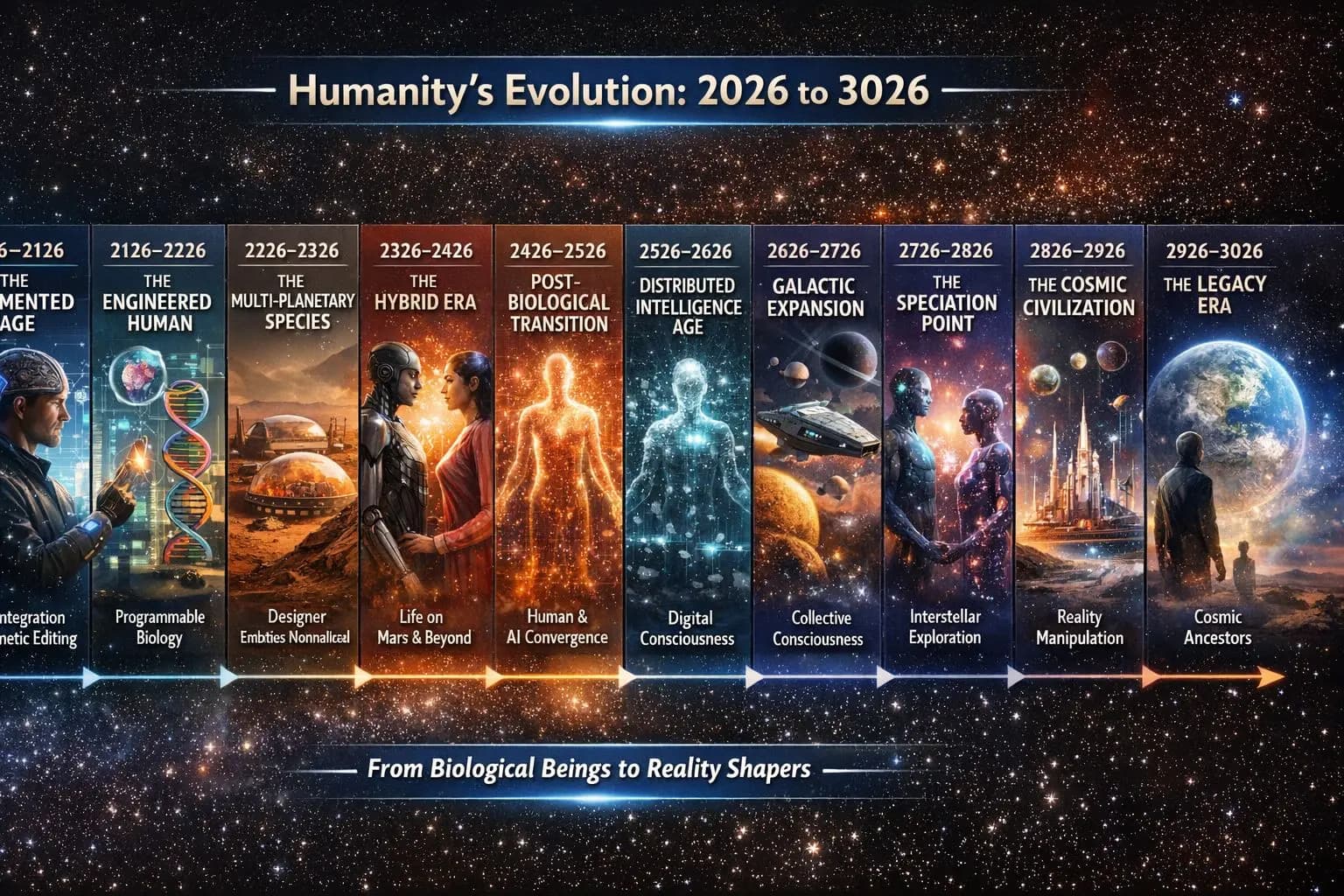
ਸੰਗੀਤ ਰਾਹੀਂ ਮਨੁੱਖਤਾ ਨੂੰ ਸੰਭਾਲੋ
ਮਨੁੱਖਤਾ ਦਾ ਸੰਗੀਤ ਅਤੇ ਕਹਾਣੀਆਂ ਅਗਲੇ 1,000+ ਸਾਲਾਂ ਲਈ ਸੰਭਾਲੋ।

ਖੋਜੀਆਂ ਦੀ ਅਗਲੀ ਪੀੜ੍ਹੀ ਨੂੰ ਪ੍ਰੇਰਿਤ ਕਰੋ
ਪੁਲਾੜ ਦੀ ਖੋਜ ਦਾ ਮੌਕਾ ਹਰ ਕਿਸੇ ਲਈ ਉਪਲਬਧ ਕਰੋ।

ਇੱਕ ਸਪੇਸਪਲੇਨ ਦਾ ਡਿਜ਼ਾਈਨ ਜੋ ਰਾਕੇਟ ਨਾਲ ਛੱਡੇ ਜਾਣ ਦੀ ਥਾਂ ਰਨਵੇਅ ਤੋਂ ਉਡਾਣ ਭਰਦਾ ਹੈ। ਇਹ ਇੱਕ ਸੰਕਲਪ ਹੈ, ਤਿਆਰ ਯਾਨ ਨਹੀਂ।
ਵੇਖੋ ਇਹ ਕਿਵੇਂ ਕੰਮ ਕਰਦਾ ਹੈਸਭ ਕੁਝ ਕਿਵੇਂ ਜੁੜਦਾ ਹੈ
ਇੱਥੇ ਕੁਝ ਵੀ ਵੱਖਰਾ ਕਾਰੋਬਾਰ ਨਹੀਂ — ਹਰ ਪੜਾਅ ਅਗਲੇ ਨੂੰ ਮਜ਼ਬੂਤ ਕਰਦਾ ਹੈ।
ਇੱਕ ਮਕਸਦ। ਕਈ ਇੱਕ-ਦੂਜੇ ਨੂੰ ਮਜ਼ਬੂਤ ਕਰਨ ਵਾਲੇ ਕਾਰੋਬਾਰ।
ਚਾਹੇ ਤੁਸੀਂ ਕੋਈ ਗੀਤ ਸੁਣੋ, ਕੋਈ ਕਹਾਣੀ ਸਾਂਝੀ ਕਰੋ, ਮਰਚੈਂਡਾਈਜ਼ ਪਹਿਨੋ, ਕਿਸੇ ਕੰਸਰਟ ਵਿੱਚ ਜਾਓ, ਬੋਲਾਂ ਦਾ ਅਨੁਵਾਦ ਕਰੋ, ਕਿਸੇ ਦੇਸ਼ ਦੀ ਸਿਫ਼ਾਰਸ਼ ਕਰੋ, ਜਾਂ ਬੱਸ ਕਿਸੇ ਦੋਸਤ ਨੂੰ ਦੱਸੋ — ਤੁਸੀਂ ਕਈ ਪੀੜ੍ਹੀਆਂ ਤੱਕ ਚੱਲਣ ਲਈ ਬਣੀ ਕਿਸੇ ਚੀਜ਼ ਦਾ ਹਿੱਸਾ ਬਣ ਜਾਂਦੇ ਹੋ।
ਹਰ ਕੋਈ ਹਿੱਸਾ ਲੈ ਸਕਦਾ ਹੈ। ਕੋਈ ਵੀ ਯੋਗਦਾਨ ਛੋਟਾ ਨਹੀਂ ਹੁੰਦਾ।
TimTim.Live — ਸੰਗੀਤ ਰਾਹੀਂ ਦੁਨੀਆ ਦੀ ਸੈਰ ਕਰੋ।
195 ਦੇਸ਼ਾਂ ਦੇ ਲੋਕਾਂ ਨੂੰ ਜੋੜ ਰਹੇ ਹਾਂ, ਹੁਣ 30,04,605+ ਕਲਾਕਾਰ ਪੰਨੇ ਜੋ 4+ ਮਿਲੀਅਨ ਤੱਕ ਵਧ ਰਹੇ ਹਨ · 86,84,002+ ਕਾਰੋਬਾਰ ਪੰਨੇ ਜੋ 400 ਮਿਲੀਅਨ ਤੱਕ ਵਧ ਰਹੇ ਹਨ · ਸਾਈਟ ਦੁਨੀਆ ਭਰ ਦੀਆਂ 417 ਸਥਾਨਕ ਭਾਸ਼ਾਵਾਂ ਵਿੱਚ ਅਨੁਵਾਦ ਹੋਵੇਗੀ।
TimTim.Live ਪਹਿਲਾਂ ਹੀ ਸਾਰੇ 195 ਦੇਸ਼ਾਂ ਵਿੱਚ 2,33,870 ਥਾਵਾਂ ਦਾ ਨਕਸ਼ਾ ਬਣਾ ਚੁੱਕਾ ਹੈ, ਅਤੇ 1,000 ਲੋਕਾਂ ਜਿੰਨੀ ਛੋਟੀ ਆਬਾਦੀ ਵਾਲੇ ਭਾਈਚਾਰਿਆਂ ਤੱਕ ਪਹੁੰਚਦਾ ਹੈ, ਜਿਵੇਂ:
257 ਰਾਜ • 1,690 ਸੂਬੇ • 4,808 ਕਾਊਂਟੀਆਂ • 41,161 ਜ਼ਿਲ੍ਹੇ • 13,471 ਸ਼ਹਿਰ • 1,17,896 ਕਸਬੇ • 40,988 ਪਿੰਡ
© 2026 TimTim.Live. ਸਾਰੇ ਹੱਕ ਰਾਖਵੇਂ ਹਨ।