

🏠 집
희망 만들기
모든 가족에게 집이라 부를 곳을 — 면세 비영리 법인 OseloHelp.com을 통해 지원합니다.
전 세계 음악 유통: 곧 시작됩니다!
첫 연동은 화면 하나면 충분해요.
브라우저에서 이 주소를 열어 보세요. 샘플 이벤트가 바로 보여요.
https://timtim.live/api/partner-network/demo?city=Washington로그인하고, 여러분이 누구인지 알려 준 뒤, 테스트 키 만들기를 누르세요. 키는 tt_test_로 시작하고 샘플 이벤트만 볼 수 있어요.
도시의 이벤트를 요청하세요.
curl "https://api.timtim.live/v1/events?city=Washington&category=music" \
-H "Authorization: Bearer tt_test_YOUR_KEY"모든 이벤트에는 이름, 날짜, 장소, 이미지, 가격, 그리고 카드에 바로 쓸 수 있는 라벨이 있어요.
저희가 주는 buy_url을 쓰세요. 그게 다예요. 누구를 통한 판매인지는 TimTim.Live가 그 링크 안에서 기록해요.
보낸 사람 수, 팔린 티켓, 수익을 대시보드에서 보거나 API로 요청하세요.
GET https://api.timtim.live/v1/earningshttps://api.timtim.live/v1키는 Authorization 헤더에 넣어 보내세요. 테스트 키(tt_test_)는 샘플 이벤트만 봐요. 웹사이트 키(tt_pk_live_)는 웹페이지에 넣어도 되고 이벤트만 읽어요. 서버 키(tt_sk_live_)는 서버에만 두고 수익도 읽을 수 있어요. 키는 한 번만 보여 드려요. 안전하게 보관하세요.
curl "https://api.timtim.live/v1/events?city=Washington&category=music" \
-H "Authorization: Bearer tt_test_YOUR_KEY"const res = await fetch("https://api.timtim.live/v1/events?city=Washington&category=music", {
headers: { Authorization: "Bearer tt_test_YOUR_KEY" },
});
const { events, next } = await res.json();
for (const event of events) {
console.log(event.name, event.display.date_label, event.tickets.buy_url);
}// Node 18+ — keep server keys (tt_sk_live_) on the server
const res = await fetch("https://api.timtim.live/v1/events?city=Washington", {
headers: { Authorization: `Bearer ${process.env.TIMTIM_KEY}` },
});
if (!res.ok) {
const problem = await res.json();
throw new Error(`${problem.title} (${problem.request_id})`);
}
const { events } = await res.json();import os, requests
res = requests.get(
"https://api.timtim.live/v1/events",
params={"city": "Washington", "category": "music"},
headers={"Authorization": f"Bearer {os.environ['TIMTIM_KEY']}"},
)
res.raise_for_status()
for event in res.json()["events"]:
print(event["name"], event["tickets"]["buy_url"])<?php
$ch = curl_init("https://api.timtim.live/v1/events?city=Washington&category=music");
curl_setopt($ch, CURLOPT_HTTPHEADER, ["Authorization: Bearer " . getenv("TIMTIM_KEY")]);
curl_setopt($ch, CURLOPT_RETURNTRANSFER, true);
$data = json_decode(curl_exec($ch), true);
foreach ($data["events"] as $event) {
echo $event["name"] . " " . $event["tickets"]["buy_url"] . PHP_EOL;
}citycountrycategoryfromtochanged_sincecommissionedminimum_earningsnearlimit마지막으로 동기화한 시간을 저장해 두고 changed_since로 보내세요. 바뀐 이벤트만 받아요. 취소와 매진 공연도 포함돼요. webhook은 필요 없어요. 더 이상 보여 주면 안 되는 이벤트는 withdrawn 목록으로 옵니다.
GET https://api.timtim.live/v1/events?changed_since=2026-10-06T10:00:00Z답에 next가 있으면 cursor=로 다시 보내 다음 페이지를 받으세요. next가 비어 있으면 전부 받은 거예요.
GET https://api.timtim.live/v1/events?city=Paris&cursor=eyJtIjoiZCIs…모든 이벤트에는 earn이 있어요. earn.eligible이 false면 그 이벤트에는 보상이 없어요. 그래도 보여 줄 가치는 있어요. true면 earn.description에 받는 것이 적혀 있어요. 예: "조건에 맞는 티켓 한 장당 $5". 구매가 환불되면 보상은 취소돼요.
대시보드에 대량 피드를 저장한 뒤, 거기에 들어가는 모든 이벤트를 압축 파일 하나로 내려받으세요: GET /v1/bulk/FEED_ID.ndjson.gz 또는 .csv.gz, 서버 키를 사용해요. 바뀐 것만 받으려면 ?changed_since=를 붙이세요. 내려간 이벤트도 함께 나와요. 테스트 키로는 지금 바로 써 볼 수 있고, 실제로 쓰려면 TimTim.Live의 검토가 필요해요.
GET https://api.timtim.live/v1/bulk/bfs_YOURFEED.ndjson.gz?changed_since=2026-10-06T00:00:00Z큰 파트너는 구매자를 자기 앱 안에 머물게 할 수 있어요. GET /v1/events/EVENT_ID/tickets 로 판매 중인 것을 확인한 다음, 구매자가 고른 내용으로 POST /v1/orders 를 보내세요. 구매자에게 열어 줄 TimTim.Live 결제 링크를 받게 되고, 판매는 여러분 회사에 바로 적립돼요. 테스트 키로 지금 바로 써 볼 수 있어요. 실제로 쓰려면 TimTim.Live 검토와 카드 결제 켜기가 필요해요.
POST https://api.timtim.live/v1/orders (Idempotency-Key: …) {"event_id": "evt_test_washington_konpa", "ticket_type_id": "tt_test_washington_konpa", "quantity": 2, "buyer_email": "…", "buyer_name": "…"}GET /v1/offers는 보상을 주는 이벤트를 하나하나 혜택으로 알려 줘요. 주최자, 살 수 있는 날짜, 가격, 장소, 보상이 들어 있어요. 고객은 여러분의 추적 링크로 혜택을 켜고, 보상은 /v1/earnings를 통해 여러분 회사에 지급돼요. 테스트 키로는 샘플 혜택이 보여요. 실제 혜택은 TimTim.Live의 검토가 필요해요. 카드 결제를 직접 맞춰 보려면 카드 네트워크나 은행과의 계약이 필요하고, 아직 연결되어 있지 않아요.
GET https://api.timtim.live/v1/offers?country=USstatus는 scheduled, postponed, rescheduled, cancelled, sold_out, completed 중 하나예요. tickets.availability는 available, limited, sold_out, not_on_sale, ended 중 하나예요. 이벤트가 취소되면 내려 주세요.
GET https://api.timtim.live/v1/events/evt_test_washington_konpa테스트 키: 1분에 60번. 라이브 키: 1분에 120번. 더 빠르면 429 답과 함께 Retry-After로 기다릴 초를 알려 드려요.
TimTim.Live 주최자가 만들고 공유하기로 한 이벤트예요. 다른 티켓 사이트에서 가져온 이벤트는 절대 들어가지 않아요. 저희에게 공유할 권리가 없기 때문이에요.
구매자 이름, 이메일 주소, 집 주소, 전화번호, 카드 정보. Partner API는 이벤트 정보를 공유하지, 회원 정보는 공유하지 않아요.
HTML 한 줄로 어떤 웹사이트에서든 이벤트를 보여 줘요. 웹사이트 키(tt_pk_live_)를 쓰고, 키의 허용 목록에 내 웹사이트를 넣으세요. 키가 없으면 샘플 이벤트를 보여 줘요.
<script src="https://timtim.live/widget/events.js"
        data-key="tt_pk_live_YOUR_WEBSITE_KEY"
        data-city="Washington" data-category="music" async></script>
옵션: data-city, data-country, data-category, data-limit(1–24), data-earn="true", data-lang, data-color.
선택 사항이에요. 대시보드에서 OAuth 클라이언트를 만든 다음, 클라이언트 ID와 시크릿을 1시간짜리 액세스 토큰으로 바꾸고, 키 대신 그 토큰을 보내세요. 시크릿은 API 호출과 함께 절대 오가지 않고, 클라이언트가 가진 것보다 적은 범위(scope)를 요청할 수도 있어요.
# 1. Trade the client ID and secret for a one-hour token
curl -u "$CLIENT_ID:$CLIENT_SECRET" \
  -d grant_type=client_credentials -d "scope=events:read events:details" \
  https://api.timtim.live/v1/oauth/token
# → {"access_token":"tt_at_…","token_type":"Bearer","expires_in":3600,"scope":"events:read events:details"}

# 2. Use the token exactly like a key
curl -H "Authorization: Bearer $ACCESS_TOKEN" "https://api.timtim.live/v1/events?city=Washington"
토큰을 일찍 끝내려면 같은 클라이언트 ID와 시크릿으로 /v1/oauth/revoke에 POST 하세요. 대시보드에서 클라이언트를 끄면 그 토큰이 한 번에 모두 끝나요.
선택 사항이에요. 대시보드에서 서버 키, 테스트 키, OAuth 클라이언트 아래의 "내 서버에만 잠그기"를 열고 서버의 공개 주소를 적으세요. 다른 곳에서 온 호출과 토큰 요청은 올바른 키가 있어도 ip_not_allowed로 거절돼요.
클라이언트 인증서(mTLS): TLS 클라이언트 인증서를 키에 연결한 다음, 그 인증서로 https://api.timtim.live를 호출하세요. 모든 호출은 그 인증서를 보여 줘야 해요. TLS 핸드셰이크가 개인 키를 가지고 있다는 걸 증명해요.
# Your certificate's SHA-256 — paste this (or the PEM) under "Lock to my servers"
openssl x509 -in client.crt -noout -fingerprint -sha256

# Every call then presents the certificate
curl --cert client.crt --key client.key \
-H "Authorization: Bearer $KEY" "https://api.timtim.live/v1/events?city=Washington"WordPress를 쓰시나요? TimTim.Live Events를 설치하세요. 내 TimTim.Live 티켓 링크로 이벤트를 보여 주는 블록과 단축코드예요. TimTim.Live가 만들었고, timtim.live하고만 통신하고, timtim.live에서만 업데이트돼요.
플러그인 → 새로 추가 → 플러그인 업로드에서 파일을 올리세요. 설정 → TimTim.Live Events에 웹사이트 키를 붙여 넣고 Test Connection을 누르세요. 그다음 아무 페이지에나 TimTim.Live Events 블록을 넣으세요.
WordPress 플러그인 다운로드[timtim_events city="Washington" category="music" limit="6"]같은 이벤트를 JSON Feed, RSS, XML, CSV로도 받을 수 있고, Google Calendar, Apple Calendar, Outlook에서 구독할 수 있는 캘린더(.ics)로도 받을 수 있어요. 피드 리더는 헤더를 보낼 수 없어서 웹사이트 키나 테스트 키를 ?key=에 넣으세요. 서버 키는 절대 링크에 넣지 마세요.
https://timtim.live/v1/feeds/events.json?key=tt_pk_live_YOUR_KEY&city=Paris
https://timtim.live/v1/feeds/events.rss?key=tt_pk_live_YOUR_KEY&city=Paris
https://timtim.live/v1/feeds/events.xml?key=tt_pk_live_YOUR_KEY&city=Paris
https://timtim.live/v1/feeds/events.csv?key=tt_pk_live_YOUR_KEY&city=Paris
https://timtim.live/v1/feeds/events.ics?key=tt_pk_live_YOUR_KEY&city=Paris대시보드에서 '주소 추가'를 누르면, 무언가 바뀔 때 그 주소로 메시지를 보내요: event.changed 또는 earnings.changed. Webhook은 꼭 필요하지 않아요. changed_since로도 같은 정보를 받을 수 있어요.
{
  "id": "whd_8Fk2mQxR7tLp",
  "type": "event.changed",
  "created_at": "2026-10-06T15:04:05.000Z",
  "mode": "live",
  "data": {
    "event": {
      "id": "ev_…",
      "name": "…",
      "status": "cancelled",
      "tickets": {
        "availability": "ended",
        "buy_url": "https://timtim.live/b/…"
      },
      "…": "the same event object as GET /v1/events"
    }
  }
}
메시지마다 확인하세요. 내 시크릿으로 서명되어 있어요. 5분보다 오래된 것은 받지 마세요. 이미 처리한 TimTim-Delivery-Id는 무시하세요.
// Node — Express with the RAW body (do not JSON.parse before checking)
import crypto from "node:crypto";

app.post("/timtim", express.raw({ type: "application/json" }), (req, res) => {
  const header = req.get("TimTim-Signature") ?? "";           // t=1700000000,v1=<hex>
  const parts = Object.fromEntries(header.split(",").map((p) => p.split("=")));
  const body = req.body.toString("utf8");
  const expected = crypto.createHmac("sha256", process.env.TIMTIM_WEBHOOK_SECRET)
    .update(`${parts.t}.${body}`).digest("hex");
  const fresh = Math.abs(Date.now() / 1000 - Number(parts.t)) <= 300;
  const same = expected.length === (parts.v1 ?? "").length &&
    crypto.timingSafeEqual(Buffer.from(expected), Buffer.from(parts.v1));
  if (!fresh || !same) return res.sendStatus(400);

  const message = JSON.parse(body);                            // { id, type, mode, data }
  if (alreadyHandled(req.get("TimTim-Delivery-Id"))) return res.sendStatus(200);
  // message.type === "event.changed"    → message.data.event
  // message.type === "earnings.changed" → message.data.earning
  res.sendStatus(200);
});
10초 안에 2xx 중 아무거나로 답해 주세요. 답이 없으면 1분, 5분, 30분 뒤, 그다음 2, 6, 12, 24시간 뒤에 다시 보내고 멈춰요. 리디렉션은 따라가지 않아요.
테스트 키는 "테스트 이벤트 — 진짜 돈 없음" 표시가 있는 샘플 이벤트를 받아요. buy_url을 열고 테스트 티켓 사기를 누른 다음, 수익을 요청해 보세요. 환불을 해 보면 수익이 취소되는 걸 볼 수 있어요.
오류는 제목과 다음에 할 일을 쉬운 말로 알려 줘요. 모든 답에는 TimTim-Request-Id가 있어요. 그걸 보내 주시면 요청을 찾을 수 있어요.
missing_keyPlease add your TimTim.Live key. Send it as: Authorization: Bearer tt_test_… — get a test key at /partners/dashboard.invalid_keyWe do not recognise that key. Check you copied the whole key, or make a new one at /partners/dashboard.revoked_keyThat key was switched off. Make a new key at /partners/dashboard.partner_inactiveThis partner account cannot use live keys right now. Your test key still works. Contact TimTim.Live partnerships to review the account.missing_scopeThis key is not allowed to do that. Earnings need a secret key (tt_sk_live_…) or a test key, used from your server.domain_not_allowedThis website is not allowed to use this key. Add the website to the key's allowed domains at /partners/dashboard.unknown_parameterWe do not know one of those parameters. See /partners/docs for the list.invalid_countryWe could not read that country. Use a two-letter code, for example country=US or country=FR.invalid_dateWe could not read that date. Dates look like 2026-10-20.invalid_changed_sinceWe could not read changed_since. Use a full time, for example changed_since=2026-10-06T10:00:00Z.invalid_booleanThat value must be true or false. For example commissioned=true.invalid_numberThat value must be a number. For example minimum_earnings=5.invalid_nearWe could not find that place. Try near=Paris,FR or city=Paris&country=FR.invalid_locationWe could not read that location. Send lat, lng and optionally radius in kilometres.invalid_limitlimit must be between 1 and 100. Leave it out to get 20.invalid_cursorThat cursor is not one we gave you. Use the `next` value from the previous page exactly as it came.event_not_foundWe could not find that event. It may have been removed, or it is not shared with partners.capability_requiredCard-linked offers are not switched on for your account. Offers are an enterprise feature. Your test key shows sample offers now; ask TimTim.Live partnerships to review your account for live offers.server_key_requiredThis is for your server only. Use a secret key (tt_sk_live_…) or a test key from your server, never a website key in a web page.commerce_not_enabledSelling tickets in your own app is not switched on for your account. This is an enterprise feature (EMBEDDED_CHECKOUT). Your test key can try it now; ask TimTim.Live partnerships to review your account. Until then, use each event's buy_url.checkout_not_openCard payments are not open on TimTim.Live yet. Send the buyer to the event's buy_url instead. Your test key can still rehearse orders.ticket_not_availableThat ticket cannot be bought right now. It may be sold out, not on sale yet, or no longer on sale. Ask /v1/events/{id}/tickets for what is on sale now.order_invalidWe could not read that order. See /partners/docs for the fields an order needs.idempotency_key_requiredPlease send an Idempotency-Key header. 8 to 80 letters, digits, - or _. Send the same key again to retry safely — you will get the same order, never a second one.order_not_foundWe could not find that order. Only orders your company began with this kind of key (test or live) can be read here.bulk_not_enabledBulk feeds are not switched on for your account. This is an enterprise feature (BULK_FEEDS). Your test key can try it now; ask TimTim.Live partnerships to review your account. Until then, page through /v1/events or the feeds.bulk_not_foundWe could not find that bulk feed. Use the address shown on /partners/dashboard: /v1/bulk/<subscription id>.ndjson.gz or .csv.gz.bulk_too_soonA full file was made for this feed a few minutes ago. Full files can be made every 15 minutes. For what changed since, add changed_since=<time> — that is not limited.event_withdrawnThis event is no longer shared with partners. Stop showing it and remove its buy_url. Nothing else is needed — your old link still takes people to the event page.invalid_trackWe could not read that tracking signal. Send {"type":"impression"}, {"type":"event_view","event_id":"…"} or {"type":"event_click","event_id":"…"}. Sales are recorded by TimTim.Live, never sent from a page.not_foundThere is nothing at this address. The Partner API lives at /v1/events, /v1/events/{id}, /v1/offers and /v1/earnings.method_not_allowedThis address does not answer that method. The Allow header lists the methods it answers.key_in_urlSend your key in the Authorization header. Only /v1/feeds reads a key from the URL (?key=). Everywhere else use Authorization: Bearer <key> — keys in URLs end up in logs.ip_not_allowedThis key only works from your listed servers. Call from an address on the key's allowlist, or change the list at /partners/dashboard.certificate_requiredThis key needs your client certificate. Connect to https://api.timtim.live with the TLS client certificate pinned to this key.certificate_mismatchThat is not the certificate pinned to this key. Use the certificate whose SHA-256 is on your dashboard, or pin the new one there.rate_limitedToo many requests — please slow down. Wait the number of seconds in Retry-After, then try again.server_errorSomething went wrong on our side. Please try again. If it keeps happening, send us your TimTim Request ID.테스트 키는 바로 작동해요. 라이브 키는 TimTim.Live의 직원이 회사 이름, 웹사이트, 이벤트를 어떻게 보여 줄지 살펴봐요. 결과는 대시보드에서 볼 수 있어요.
버전 1은 늘어나기만 해요. 새로운 것을 더해요. 이미 있는 것을 없애거나 이름을 바꾸지 않아요.
우리의 목적
인류를 위한 유산을 함께 남기자고 모두를 초대합니다.
우리보다 오래 남을 세 가지 미션에 함께하세요
희망 만들기
모든 가족에게 집이라 부를 곳을 — 면세 비영리 법인 OseloHelp.com을 통해 지원합니다.
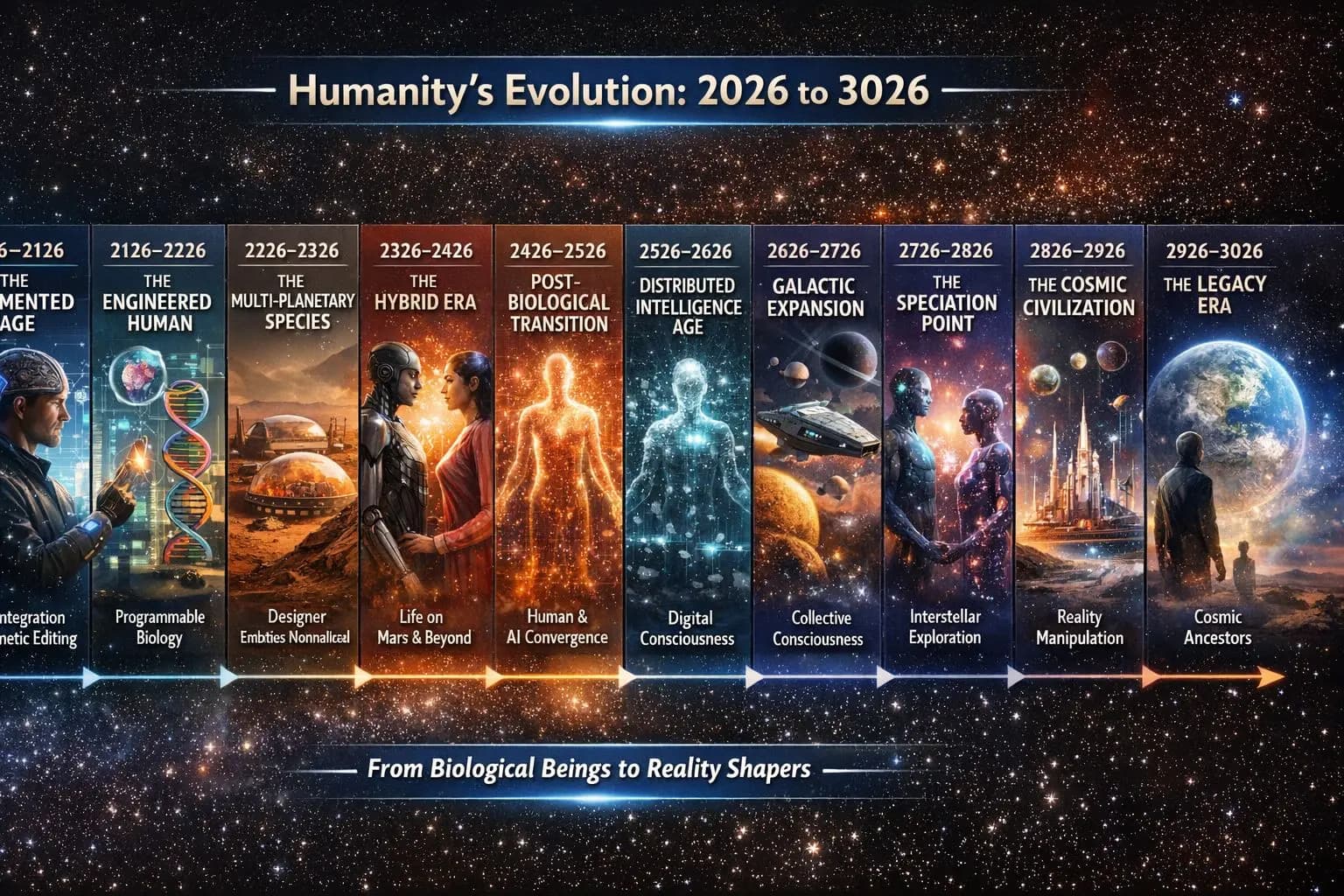
음악으로 인류를 지키기
인류의 음악과 이야기를 앞으로 1,000년 이상 지킵니다.

다음 세대 탐험가에게 꿈을
우주를 탐험할 기회를 모두에게.

로켓으로 발사하는 대신 활주로에서 이륙하는 우주 비행기의 설계입니다. 완성된 기체가 아니라 구상입니다.
작동 방식 보기모든 것이 이어지는 방법
여기에 따로 떨어진 사업은 없어요 — 각 단계가 다음 단계를 키웁니다.
하나의 목적. 서로를 돕는 여러 사업.
노래를 듣든, 이야기를 나누든, 굿즈를 입든, 공연에 가든, 가사를 번역하든, 나라를 추천하든, 그냥 친구에게 말하든 — 여러분은 여러 세대 동안 이어질 무언가의 일부가 됩니다.
누구나 참여할 수 있어요. 아무리 작은 기여도 소중해요.
TimTim.Live — 음악으로 세계를 여행하세요.
195개국 사람들을 연결합니다. 현재 아티스트 페이지 3,004,605+개 (최대 400만 개 이상까지 확대 중) · 비즈니스 페이지 8,684,002+개 (최대 4억 개까지 확대 중) · 사이트는 전 세계 417개 지역 언어로 번역될 예정입니다.
TimTim.Live는 이미 195개 모든 나라의 장소 233,870곳을 지도에 담았고, 인구 1,000명 정도의 작은 마을까지 닿아 있습니다. 포함된 곳:
주 257개 • 도 1,690개 • 군 4,808개 • 구 41,161개 • 도시 13,471개 • 읍 117,896개 • 마을 40,988개
© 2026 TimTim.Live. 모든 권리 보유.