
🏠 Casa
Costruire speranza
Aiuta ogni famiglia ad avere una casa — finanziato tramite OseloHelp.com, la nostra organizzazione senza scopo di lucro esente da tasse.
Distribuzione musicale globale: in arrivo!
3.004.605+ Pagine di artisti · 8.684.002+ Pagine di attività · Disponibile in 417+ Lingue

La tua prima integrazione sta in una sola schermata.
Apri questo indirizzo nel tuo browser. Vedrai subito eventi di esempio.
https://timtim.live/api/partner-network/demo?city=WashingtonAccedi, dicci chi sei e premi Crea chiave di prova. Inizia con tt_test_ e vede solo eventi di esempio.
Chiedi gli eventi di una città.
curl "https://api.timtim.live/v1/events?city=Washington&category=music" \
-H "Authorization: Bearer tt_test_YOUR_KEY"Ogni evento ha nome, data, luogo, immagine, prezzo e testi pronti per la tua scheda.
Usa il buy_url che ti diamo. Tutto qui. TimTim.Live gestisce l'attribuzione dentro quel link.
Vedi le persone mandate, i biglietti venduti e i guadagni nella tua dashboard, oppure chiedili.
GET https://api.timtim.live/v1/earningshttps://api.timtim.live/v1Invia la tua chiave nell'intestazione Authorization. Le chiavi di prova (tt_test_) vedono solo eventi di esempio. Le chiavi per sito web (tt_pk_live_) possono stare in una pagina web e leggono solo gli eventi. Le chiavi server (tt_sk_live_) restano sul tuo server e possono leggere anche i guadagni. Mostriamo una chiave una sola volta — tienila al sicuro.
curl "https://api.timtim.live/v1/events?city=Washington&category=music" \
-H "Authorization: Bearer tt_test_YOUR_KEY"const res = await fetch("https://api.timtim.live/v1/events?city=Washington&category=music", {
headers: { Authorization: "Bearer tt_test_YOUR_KEY" },
});
const { events, next } = await res.json();
for (const event of events) {
console.log(event.name, event.display.date_label, event.tickets.buy_url);
}// Node 18+ — keep server keys (tt_sk_live_) on the server
const res = await fetch("https://api.timtim.live/v1/events?city=Washington", {
headers: { Authorization: `Bearer ${process.env.TIMTIM_KEY}` },
});
if (!res.ok) {
const problem = await res.json();
throw new Error(`${problem.title} (${problem.request_id})`);
}
const { events } = await res.json();import os, requests
res = requests.get(
"https://api.timtim.live/v1/events",
params={"city": "Washington", "category": "music"},
headers={"Authorization": f"Bearer {os.environ['TIMTIM_KEY']}"},
)
res.raise_for_status()
for event in res.json()["events"]:
print(event["name"], event["tickets"]["buy_url"])<?php
$ch = curl_init("https://api.timtim.live/v1/events?city=Washington&category=music");
curl_setopt($ch, CURLOPT_HTTPHEADER, ["Authorization: Bearer " . getenv("TIMTIM_KEY")]);
curl_setopt($ch, CURLOPT_RETURNTRANSFER, true);
$data = json_decode(curl_exec($ch), true);
foreach ($data["events"] as $event) {
echo $event["name"] . " " . $event["tickets"]["buy_url"] . PHP_EOL;
}citycountrycategoryfromtochanged_sincecommissionedminimum_earningsnearlimitSalva l'ora della tua ultima sincronizzazione e inviala come changed_since. Ricevi solo gli eventi cambiati — anche annullamenti e concerti esauriti. Non serve un webhook. Gli eventi che devi smettere di mostrare arrivano nell'elenco withdrawn.
GET https://api.timtim.live/v1/events?changed_since=2026-10-06T10:00:00ZSe la risposta contiene next, rimandalo come cursor= per avere la pagina successiva. Quando next è vuoto, hai tutto.
GET https://api.timtim.live/v1/events?city=Paris&cursor=eyJtIjoiZCIs…Ogni evento ha earn. Se earn.eligible è false, l'evento non ha premi — vale comunque la pena mostrarlo. Se è true, earn.description dice cosa ricevi, per esempio "$5 per ogni biglietto idoneo". Se l'acquisto viene rimborsato, il premio viene annullato.
Salva un feed completo nella tua dashboard, poi scarica tutti i suoi eventi in un solo file compresso: GET /v1/bulk/FEED_ID.ndjson.gz o .csv.gz, con la tua chiave server. Aggiungi ?changed_since= per avere solo ciò che è cambiato, compresi gli eventi tolti. Le chiavi di prova possono già provarlo; l'uso reale richiede un controllo di TimTim.Live.
GET https://api.timtim.live/v1/bulk/bfs_YOURFEED.ndjson.gz?changed_since=2026-10-06T00:00:00ZI grandi partner possono tenere gli acquirenti nella propria app. Chiedi GET /v1/events/EVENT_ID/tickets per vedere cosa è in vendita, poi invia POST /v1/orders con la scelta dell'acquirente. Ricevi un link di pagamento TimTim.Live da aprire per l'acquirente; la vendita viene accreditata direttamente alla tua azienda. Le chiavi di prova possono provarlo subito. L'uso reale richiede una verifica di TimTim.Live e i pagamenti con carta attivi.
POST https://api.timtim.live/v1/orders (Idempotency-Key: …) {"event_id": "evt_test_washington_konpa", "ticket_type_id": "tt_test_washington_konpa", "quantity": 2, "buyer_email": "…", "buyer_name": "…"}GET /v1/offers fornisce ogni evento che paga un premio come offerta: l'organizzatore, le date in cui si può comprare, il prezzo, il luogo e il premio. Il tuo cliente la attiva con il tuo link tracciato, e il premio viene pagato alla tua azienda tramite /v1/earnings. Le chiavi di prova vedono offerte di esempio. Le offerte reali richiedono una verifica di TimTim.Live. Abbinare direttamente i pagamenti con carta richiede un accordo con un circuito di carte o una banca, e non è collegato.
GET https://api.timtim.live/v1/offers?country=USstatus è scheduled, postponed, rescheduled, cancelled, sold_out o completed. tickets.availability è available, limited, sold_out, not_on_sale o ended. Quando un evento viene annullato, toglilo.
GET https://api.timtim.live/v1/events/evt_test_washington_konpaChiavi di prova: 60 richieste al minuto. Chiavi live: 120 al minuto. Se vai più veloce ricevi una risposta 429 con Retry-After, il numero di secondi da aspettare.
Gli eventi che gli organizzatori di TimTim.Live creano e scelgono di condividere. Gli eventi importati da altri siti di biglietti non sono mai inclusi, perché non abbiamo il diritto di condividerli.
Nomi degli acquirenti, indirizzi email, indirizzi di casa, numeri di telefono e dati delle carte. La Partner API condivide informazioni sugli eventi, non i nostri membri.
Una sola riga di HTML mostra eventi su qualsiasi sito. Usa una chiave per sito web (tt_pk_live_) e aggiungi il tuo sito alla lista dei siti permessi della chiave. Senza chiave mostra eventi di esempio.
<script src="https://timtim.live/widget/events.js"
        data-key="tt_pk_live_YOUR_WEBSITE_KEY"
        data-city="Washington" data-category="music" async></script>
Opzioni: data-city, data-country, data-category, data-limit (1–24), data-earn="true", data-lang e data-color.
Facoltativo. Crea un client OAuth nella tua dashboard, poi scambia il suo ID client e il segreto con un token di accesso di un'ora, e invia quel token al posto di una chiave. Il segreto non viaggia mai con le tue chiamate API, e puoi chiedere meno permessi (scope) di quelli del client.
# 1. Trade the client ID and secret for a one-hour token
curl -u "$CLIENT_ID:$CLIENT_SECRET" \
  -d grant_type=client_credentials -d "scope=events:read events:details" \
  https://api.timtim.live/v1/oauth/token
# → {"access_token":"tt_at_…","token_type":"Bearer","expires_in":3600,"scope":"events:read events:details"}

# 2. Use the token exactly like a key
curl -H "Authorization: Bearer $ACCESS_TOKEN" "https://api.timtim.live/v1/events?city=Washington"
Per chiudere prima un token, invialo con POST a /v1/oauth/revoke con lo stesso ID client e segreto. Se spegni il client nella dashboard, tutti i suoi token finiscono insieme.
Facoltativo. Nella tua dashboard, apri "Blocca sui miei server" sotto una chiave server, una chiave di prova o un client OAuth e scrivi gli indirizzi pubblici dei tuoi server. Le chiamate — e le richieste di token — da qualsiasi altro posto vengono rifiutate con ip_not_allowed, anche con la chiave giusta.
Certificati client (mTLS): collega il tuo certificato client TLS a una chiave, poi chiama https://api.timtim.live con quel certificato. Ogni chiamata deve mostrare quel certificato; l'handshake TLS dimostra che hai la sua chiave privata.
# Your certificate's SHA-256 — paste this (or the PEM) under "Lock to my servers"
openssl x509 -in client.crt -noout -fingerprint -sha256

# Every call then presents the certificate
curl --cert client.crt --key client.key \
-H "Authorization: Bearer $KEY" "https://api.timtim.live/v1/events?city=Washington"Usi WordPress? Installa TimTim.Live Events: un blocco e uno shortcode che mostrano eventi con i tuoi link ai biglietti TimTim.Live. È fatto da TimTim.Live, parla solo con timtim.live e si aggiorna solo da timtim.live.
Carica il file in Plugin → Aggiungi nuovo → Carica plugin. Incolla la tua chiave per sito web in Impostazioni → TimTim.Live Events e premi Test Connection. Poi aggiungi il blocco TimTim.Live Events a qualsiasi pagina.
Scarica il plugin WordPress[timtim_events city="Washington" category="music" limit="6"]Gli stessi eventi come JSON Feed, RSS, XML, CSV o come calendario (.ics) a cui Google Calendar, Apple Calendar e Outlook possono iscriversi. I lettori di feed non possono inviare intestazioni, quindi metti una chiave per sito web o una chiave di prova in ?key=. Non mettere mai una chiave server in un link.
https://timtim.live/v1/feeds/events.json?key=tt_pk_live_YOUR_KEY&city=Paris
https://timtim.live/v1/feeds/events.rss?key=tt_pk_live_YOUR_KEY&city=Paris
https://timtim.live/v1/feeds/events.xml?key=tt_pk_live_YOUR_KEY&city=Paris
https://timtim.live/v1/feeds/events.csv?key=tt_pk_live_YOUR_KEY&city=Paris
https://timtim.live/v1/feeds/events.ics?key=tt_pk_live_YOUR_KEY&city=ParisAggiungi un indirizzo nella tua dashboard e gli mandiamo un messaggio quando qualcosa cambia: event.changed o earnings.changed. I webhook sono facoltativi — changed_since ti dà le stesse informazioni.
{
  "id": "whd_8Fk2mQxR7tLp",
  "type": "event.changed",
  "created_at": "2026-10-06T15:04:05.000Z",
  "mode": "live",
  "data": {
    "event": {
      "id": "ev_…",
      "name": "…",
      "status": "cancelled",
      "tickets": {
        "availability": "ended",
        "buy_url": "https://timtim.live/b/…"
      },
      "…": "the same event object as GET /v1/events"
    }
  }
}
Controlla ogni messaggio: è firmato con il tuo segreto. Rifiuta tutto ciò che ha più di cinque minuti e ignora un TimTim-Delivery-Id che hai già gestito.
// Node — Express with the RAW body (do not JSON.parse before checking)
import crypto from "node:crypto";

app.post("/timtim", express.raw({ type: "application/json" }), (req, res) => {
  const header = req.get("TimTim-Signature") ?? "";           // t=1700000000,v1=<hex>
  const parts = Object.fromEntries(header.split(",").map((p) => p.split("=")));
  const body = req.body.toString("utf8");
  const expected = crypto.createHmac("sha256", process.env.TIMTIM_WEBHOOK_SECRET)
    .update(`${parts.t}.${body}`).digest("hex");
  const fresh = Math.abs(Date.now() / 1000 - Number(parts.t)) <= 300;
  const same = expected.length === (parts.v1 ?? "").length &&
    crypto.timingSafeEqual(Buffer.from(expected), Buffer.from(parts.v1));
  if (!fresh || !same) return res.sendStatus(400);

  const message = JSON.parse(body);                            // { id, type, mode, data }
  if (alreadyHandled(req.get("TimTim-Delivery-Id"))) return res.sendStatus(200);
  // message.type === "event.changed"    → message.data.event
  // message.type === "earnings.changed" → message.data.earning
  res.sendStatus(200);
});
Rispondi con un 2xx qualsiasi entro 10 secondi. Se no, riproviamo dopo 1 minuto, 5 minuti, 30 minuti, poi 2, 6, 12 e 24 ore, poi ci fermiamo. Non seguiamo mai i reindirizzamenti.
Le chiavi di prova ricevono eventi di esempio segnati EVENTO DI PROVA — NESSUN SOLDO VERO. Apri un buy_url, premi Compra biglietto di prova, poi chiedi i tuoi guadagni. Simula un rimborso e guardalo annullarsi.
Gli errori si spiegano con parole semplici, con un titolo e cosa fare dopo. Ogni risposta porta un TimTim-Request-Id. Mandacelo e potremo trovare la tua richiesta.
missing_keyPlease add your TimTim.Live key. Send it as: Authorization: Bearer tt_test_… — get a test key at /partners/dashboard.invalid_keyWe do not recognise that key. Check you copied the whole key, or make a new one at /partners/dashboard.revoked_keyThat key was switched off. Make a new key at /partners/dashboard.partner_inactiveThis partner account cannot use live keys right now. Your test key still works. Contact TimTim.Live partnerships to review the account.missing_scopeThis key is not allowed to do that. Earnings need a secret key (tt_sk_live_…) or a test key, used from your server.domain_not_allowedThis website is not allowed to use this key. Add the website to the key's allowed domains at /partners/dashboard.unknown_parameterWe do not know one of those parameters. See /partners/docs for the list.invalid_countryWe could not read that country. Use a two-letter code, for example country=US or country=FR.invalid_dateWe could not read that date. Dates look like 2026-10-20.invalid_changed_sinceWe could not read changed_since. Use a full time, for example changed_since=2026-10-06T10:00:00Z.invalid_booleanThat value must be true or false. For example commissioned=true.invalid_numberThat value must be a number. For example minimum_earnings=5.invalid_nearWe could not find that place. Try near=Paris,FR or city=Paris&country=FR.invalid_locationWe could not read that location. Send lat, lng and optionally radius in kilometres.invalid_limitlimit must be between 1 and 100. Leave it out to get 20.invalid_cursorThat cursor is not one we gave you. Use the `next` value from the previous page exactly as it came.event_not_foundWe could not find that event. It may have been removed, or it is not shared with partners.capability_requiredCard-linked offers are not switched on for your account. Offers are an enterprise feature. Your test key shows sample offers now; ask TimTim.Live partnerships to review your account for live offers.server_key_requiredThis is for your server only. Use a secret key (tt_sk_live_…) or a test key from your server, never a website key in a web page.commerce_not_enabledSelling tickets in your own app is not switched on for your account. This is an enterprise feature (EMBEDDED_CHECKOUT). Your test key can try it now; ask TimTim.Live partnerships to review your account. Until then, use each event's buy_url.checkout_not_openCard payments are not open on TimTim.Live yet. Send the buyer to the event's buy_url instead. Your test key can still rehearse orders.ticket_not_availableThat ticket cannot be bought right now. It may be sold out, not on sale yet, or no longer on sale. Ask /v1/events/{id}/tickets for what is on sale now.order_invalidWe could not read that order. See /partners/docs for the fields an order needs.idempotency_key_requiredPlease send an Idempotency-Key header. 8 to 80 letters, digits, - or _. Send the same key again to retry safely — you will get the same order, never a second one.order_not_foundWe could not find that order. Only orders your company began with this kind of key (test or live) can be read here.bulk_not_enabledBulk feeds are not switched on for your account. This is an enterprise feature (BULK_FEEDS). Your test key can try it now; ask TimTim.Live partnerships to review your account. Until then, page through /v1/events or the feeds.bulk_not_foundWe could not find that bulk feed. Use the address shown on /partners/dashboard: /v1/bulk/<subscription id>.ndjson.gz or .csv.gz.bulk_too_soonA full file was made for this feed a few minutes ago. Full files can be made every 15 minutes. For what changed since, add changed_since=<time> — that is not limited.event_withdrawnThis event is no longer shared with partners. Stop showing it and remove its buy_url. Nothing else is needed — your old link still takes people to the event page.invalid_trackWe could not read that tracking signal. Send {"type":"impression"}, {"type":"event_view","event_id":"…"} or {"type":"event_click","event_id":"…"}. Sales are recorded by TimTim.Live, never sent from a page.not_foundThere is nothing at this address. The Partner API lives at /v1/events, /v1/events/{id}, /v1/offers and /v1/earnings.method_not_allowedThis address does not answer that method. The Allow header lists the methods it answers.key_in_urlSend your key in the Authorization header. Only /v1/feeds reads a key from the URL (?key=). Everywhere else use Authorization: Bearer <key> — keys in URLs end up in logs.ip_not_allowedThis key only works from your listed servers. Call from an address on the key's allowlist, or change the list at /partners/dashboard.certificate_requiredThis key needs your client certificate. Connect to https://api.timtim.live with the TLS client certificate pinned to this key.certificate_mismatchThat is not the certificate pinned to this key. Use the certificate whose SHA-256 is on your dashboard, or pin the new one there.rate_limitedToo many requests — please slow down. Wait the number of seconds in Retry-After, then try again.server_errorSomething went wrong on our side. Please try again. If it keeps happening, send us your TimTim Request ID.La descrizione completa di ogni campo, nel formato OpenAPI che i tuoi strumenti sanno leggere.
Scarica openapi.yamlLa tua chiave di prova funziona subito. Per le chiavi live, una persona di TimTim.Live guarda il nome della tua azienda, il tuo sito e come mostrerai gli eventi. Vedi la risposta nella tua dashboard.
La versione 1 può solo crescere. Aggiungiamo cose nuove. Non togliamo né rinominiamo quello che c'è già.
Il nostro scopo
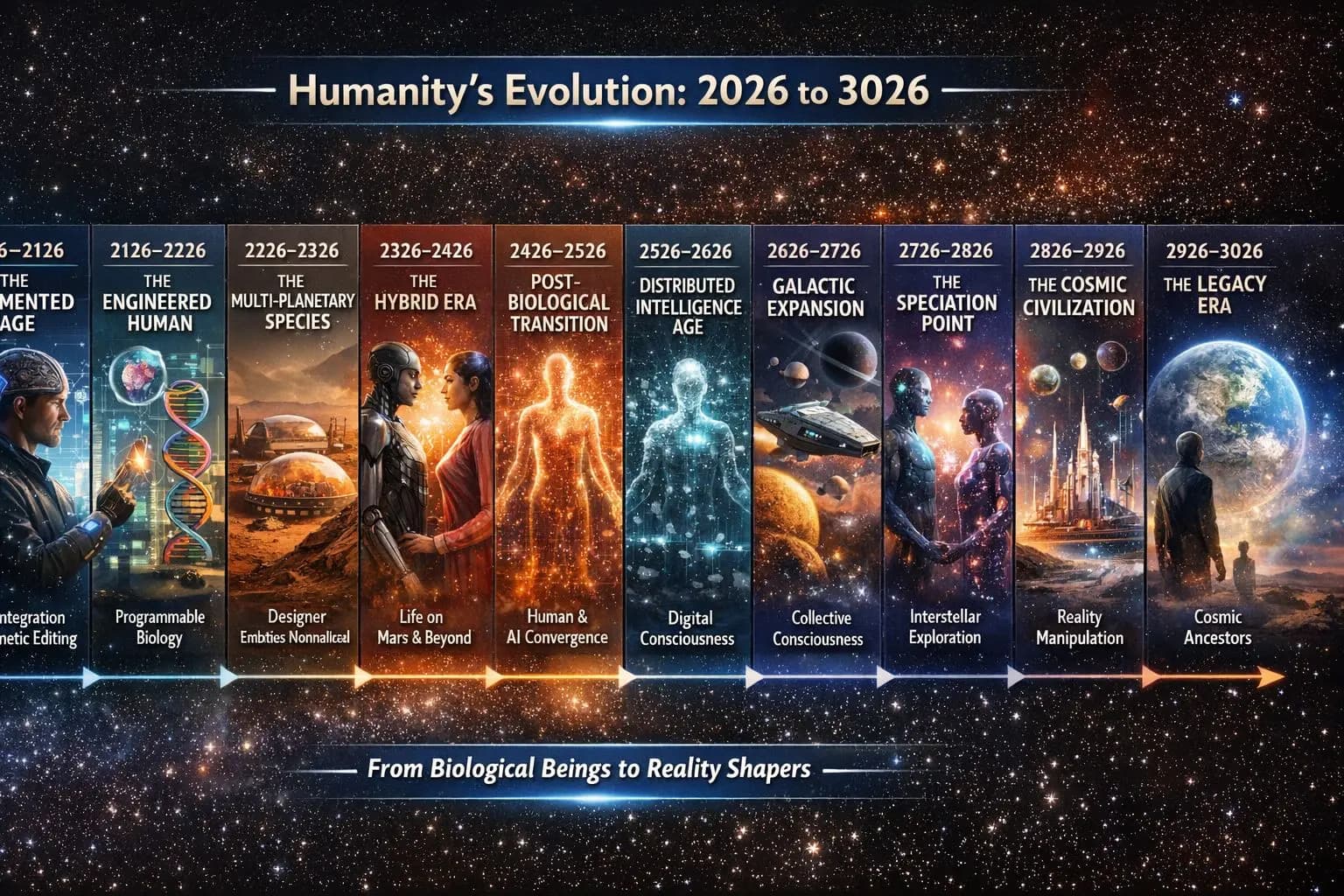
Invitiamo tutti ad aiutare a lasciare un’eredità per l’umanità.
Unisciti a tre missioni che ci sopravvivranno
Costruire speranza
Aiuta ogni famiglia ad avere una casa — finanziato tramite OseloHelp.com, la nostra organizzazione senza scopo di lucro esente da tasse.
Preservare l’umanità attraverso la musica
Preservare la musica e le storie dell’umanità per i prossimi 1.000+ anni.

Ispirare la prossima generazione di esploratori
Rendere l’esplorazione dello spazio un’opportunità per tutti.

Il progetto di un aereo spaziale che decolla da una pista invece di essere lanciato da un razzo. È un concetto, non un veicolo finito.
Scopri come funzionaCome tutto si collega
Niente qui è un’attività separata — ogni fase rafforza la successiva.
Uno scopo. Tante attività che si rafforzano a vicenda.
Che tu ascolti una canzone, condivida una storia, indossi il merchandising, vada a un concerto, traduca dei testi, consigli un paese o semplicemente ne parli a un amico — diventi parte di qualcosa pensato per durare per generazioni.
Tutti possono partecipare. Nessun contributo è troppo piccolo.
TimTim.Live — Esplora il mondo attraverso la musica.
Colleghiamo persone in 195 paesi, oggi con 3.004.605+ pagine di artisti che arriveranno a oltre 4 milioni · 8.684.002+ pagine di attività che arriveranno fino a 400 milioni · il sito sarà tradotto in 417 lingue locali in tutto il mondo.
TimTim.Live mappa già 233.870 luoghi in tutti i 195 paesi, raggiungendo comunità anche di soli 1.000 abitanti, tra cui:
257 stati • 1690 province • 4808 contee • 41.161 distretti • 13.471 città • 117.896 cittadine • 40.988 villaggi
© 2026 TimTim.Live. Tutti i diritti riservati.