
🏠 Ụlọ
Wuo Olileanya
Nyere aka ka ezinụlọ ọ bụla nwee ebe ọ ga-akpọ ụlọ — site na OseloHelp.com, ụlọ ọrụ enyemaka anyị anaghị akwụ ụtụ.
Nkesa egwu n'ụwa niile: ọ na-abịa n'oge na-adịghị anya!
3,004,606+ Peeji Onye Egwu · 8,684,003+ Peeji Azụmahịa · Dị na 417+ Asụsụ

TimTim.Live Developer Preview
Where do you want TimTim.Live events to show? Pick one. Every button below works today.
Paste one piece of code. Events show up and stay up to date by themselves.
Make your embed, then paste it into your page's HTML.
Install the plugin, then add the TimTim.Live Events block.
Make your embed, then paste it into a Custom Liquid section in your theme editor.
Make your embed, then paste it into a Custom Element or an Embed HTML box.
Make your embed, then paste it into a Code Block.
Make your embed, then paste it into a Code Embed element.
Add the code component, then set everything in the side panel.
Install the module, then place the TimTim.Live Events block.
Install the module, then put it in a template position.
Make your embed, then paste it into an HTML element.
Ask the API for events and show them your way.
Call the API with fetch. No key needed for sample events.
Use the embed tag today. The React package is coming to npm.
Call the REST API with your key. Every endpoint is in the reference.
Subscribe to a feed with your test or website key. It updates by itself.
Subscribe to the .ics feed.
Use the RSS or JSON feed.
Open the CSV feed in Excel or Google Sheets.
Show events in your app with a ready-made client. All three refuse server keys.
Drop in the event list, or use the hook and draw your own.
Add the Swift package and search with one line.
Add the Kotlin client and search with one line.
Give your assistant one address and ask it about events.
Paste one address into your assistant's connector settings.
Not ready yet. We will not show a button until it works.
The code is public on GitHub; the packages are not published yet.
The Shopify block and Bubble plugin are built and waiting for review. Until then, the embed works on all four.
Not to try it: with no key you see sample events. Want real events, and to see how many people clicked? Get a free test key first. Then get a website key for your own domain.
Learn how TimTim.Live distribution partnerships work.
Partner Program →Ebumnuche Anyị
Anyị na-akpọ onye ọ bụla ka o nyere aka hapụ ihe nketa maka mmadụ niile.
Sonye n’Ozi Atọ Ga-adị Ndụ Karịa Anyị Niile
Wuo Olileanya
Nyere aka ka ezinụlọ ọ bụla nwee ebe ọ ga-akpọ ụlọ — site na OseloHelp.com, ụlọ ọrụ enyemaka anyị anaghị akwụ ụtụ.
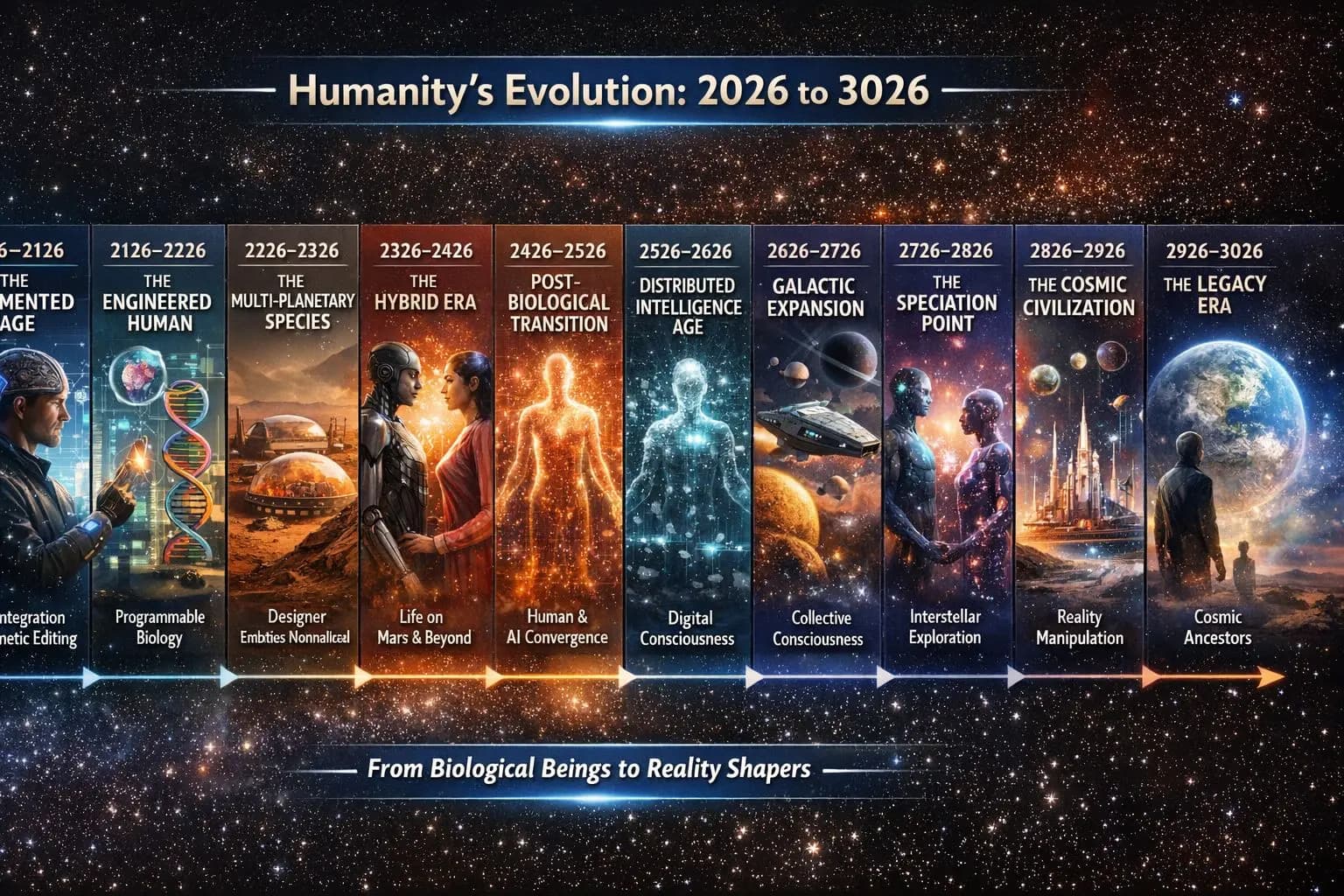
Chekwaa Mmadụ Site n’Egwu
Chekwaa egwu na akụkọ mmadụ maka afọ 1,000+ na-abịa.

Kpalie Ọgbọ Ndị Nchọpụta Na-abịa
Mee ka ohere inyocha mbara igwe dịrị onye ọ bụla.

Atụmatụ ụgbọ elu mbara igwe nke na-ebili site n'okporo ụzọ kama iji rọketi bulie ya. Ọ bụ echiche, ọ bụghị ụgbọ emechara emecha.
Lee ka ọ si arụ ọrụOtú ihe niile si jikọọ
Ọ dịghị ihe ebe a bụ azụmahịa dị iche — usoro ọ bụla na-eme ka nke na-esote sie ike.
Otu ebumnuche. Ọtụtụ azụmahịa na-akwado ibe ha.
Ma ị gee egwu, kekọrịta akụkọ, yiri ngwaahịa, gaa egwu, sụgharịa okwu egwu, kwado obodo, ma ọ bụ gwa enyi gị naanị — ị na-aghọ akụkụ nke ihe e mere ka ọ dịgide ruo ọtụtụ ọgbọ.
Onye ọ bụla nwere ike isonye. Enweghị onyinye dị obere.
TimTim.Live — Nyochaa Ụwa Site n’Egwu.
Na-ejikọ ndị mmadụ n’obodo 195, ugbu a nwere peeji ndị egwu 3,004,606+ na-eto ruo nde 4+ · peeji azụmahịa 8,684,003+ na-eto ruo nde 400 · a ga-asụgharị saịtị a n’asụsụ obodo 417 n’ụwa niile.
TimTim.Live adịlarị na maapụ ebe 233,870 n’obodo 195 niile, na-eru obodo ndị nwere naanị mmadụ 1,000, gụnyere:
steeti 257 • mpaghara 1,690 • kaụntị 4,808 • ngalaba 41,161 • obodo mepere emepe 13,471 • obodo 117,896 • obodo nta 40,988
© 2026 TimTim.Live. Ikike Niile Echekwara.